Verify Module
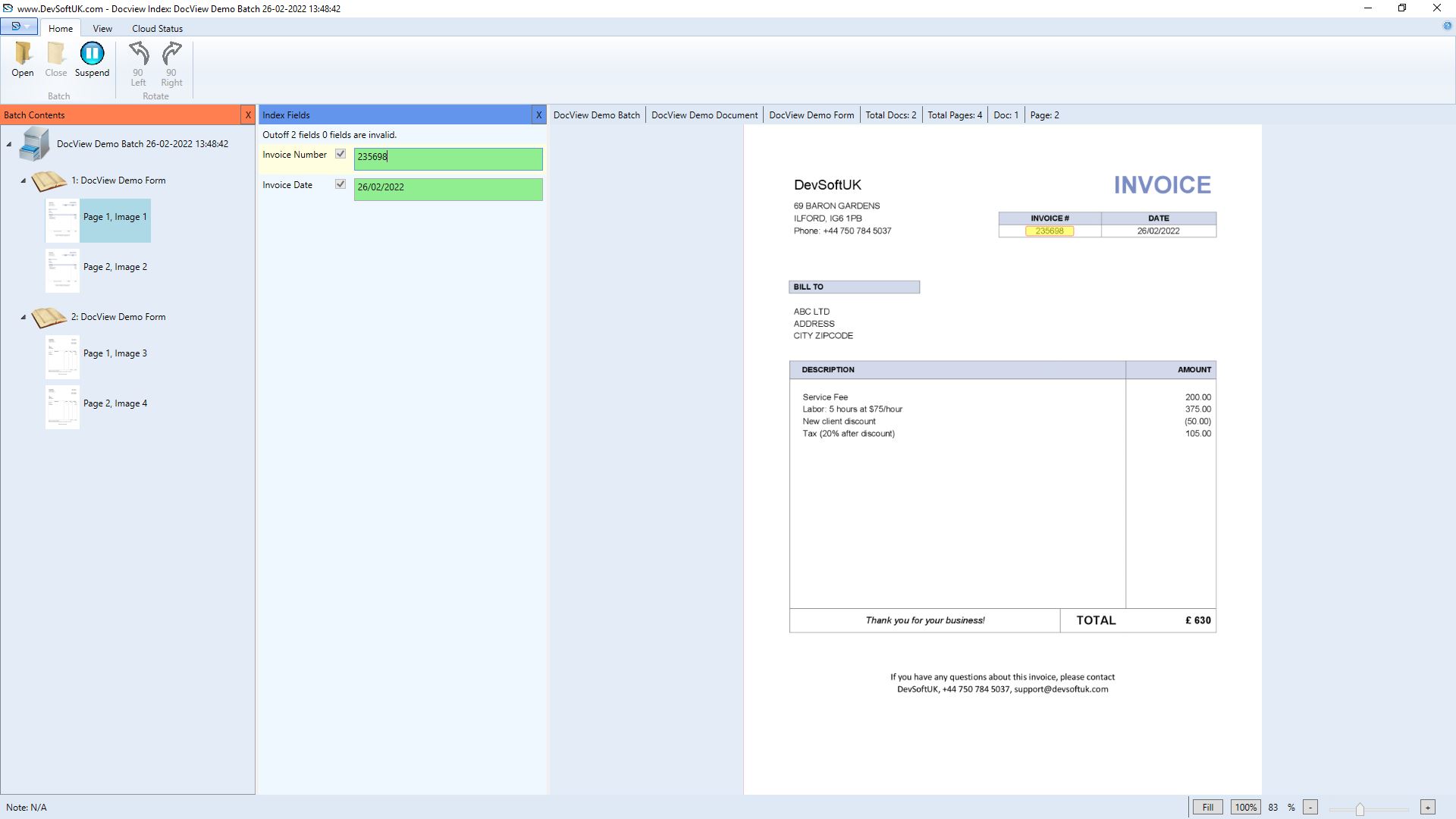
The Verify module in DocView Capture allows users to manually verify indexed document fields for all documents in a scanned batch. This step ensures captured metadata—such as invoice numbers, dates, and amounts—is accurate and aligns with business validation rules before archiving or exporting.
Once documents are initially indexed (manually or via OCR), the Verify stage provides quality control by comparing entered or extracted values against expected values or business logic.
Input Configuration
Key Functional Capabilities
Manual Verification of Indexed Fields
Users can review each document in a batch and verify index values. If a field requires correction, they can:
- Manually re-enter the correct value
- Use OCR by drawing a zone over the document to re-extract and replace incorrect values
Real-Time Validation and Alerts
Each field is validated against predefined rules (format, type, required). Mismatches or invalid entries immediately notify the user for correction.
OCR Re-Zone Support
Highlight areas (e.g., Invoice Number, Invoice Date) to trigger zone-based OCR. Useful when the original index process failed or data has changed.
Certify Value Functionality
Certain fields can be certified as officially verified. This ensures audit-readiness and compatibility with downstream systems.
Supported Index Field Types
Text
Names, codes, invoice numbers, or descriptions. Supports format checks and required conditions.Number
Invoice totals, quantities, or reference numbers. Validates numeric range.Date
Invoice, due, or delivery dates. Supports format validation (e.g., DD/MM/YYYY).Lookup List
Dropdown of predefined values (e.g., client names, departments) to standardize entries.Certify Value with Index Field
Marks verified fields as correct, ensuring audit-readiness and downstream system compatibility.