Search Module
The Search Module in DocView Capture is designed to provide users with quick and efficient access to scanned and indexed documents across batches.
It enables precise data retrieval using flexible filters, ensuring users can locate documents instantly.
It consolidates advanced search options, distance-based searching, result previews, and export features into a unified interface.
❖ Search Workflow
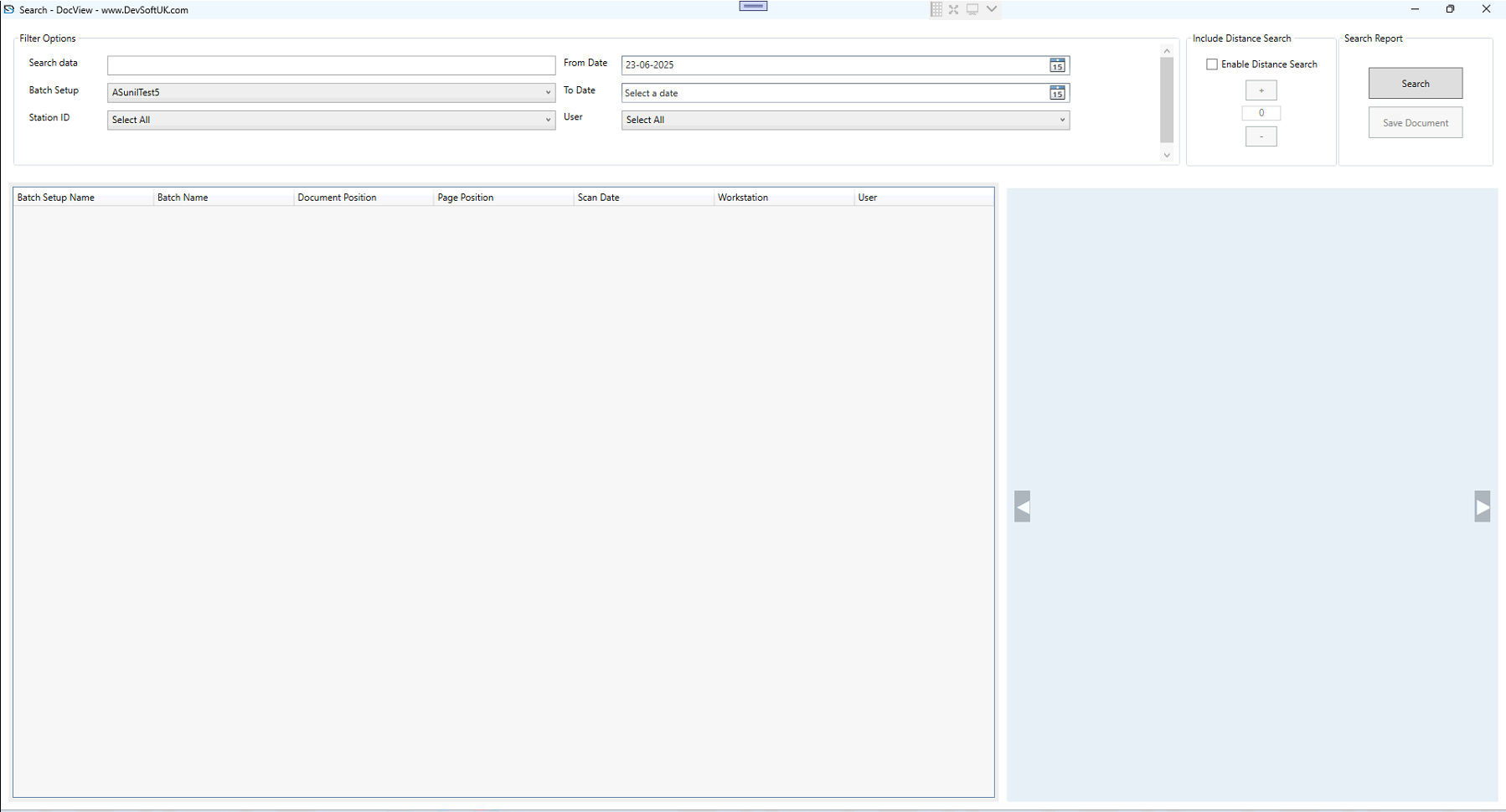
1. Basic Search
- Allows searching by keywords or indexed metadata such as:
- Search Data
- Batch Setup
- Station ID
- Date Range (From / To)
- User
- Supports both exact and flexible matching for accurate document retrieval.
2. Distance Search
- Option to enable Distance Search for approximate keyword matching.
- Useful for handling OCR variations or spelling differences.
- Adjustable distance factor (+/– values) refines search tolerance.
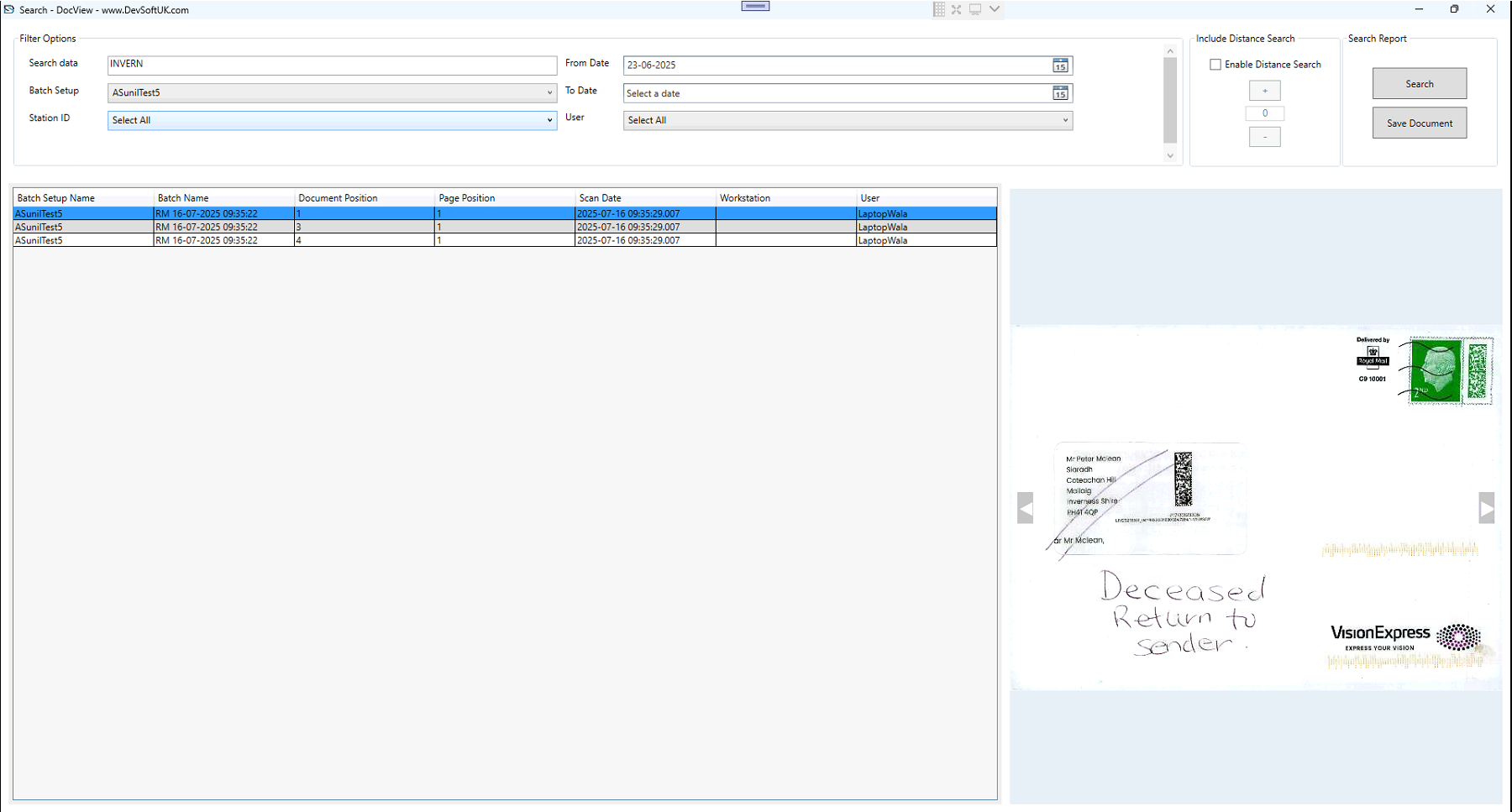
3. Search Results
- Results are displayed in a tabular view with fields such as:
- Batch Setup Name
- Batch Name
- Document Position
- Page Position
- Scan Date
- Workstation
- User
- Each result links directly to the document preview for quick validation.
4. Document Preview
- Provides an integrated side-by-side viewer for matched documents.
- Users can:
- Scroll through pages
- Navigate multiple matches
- Enables rapid verification without needing external tools.
5. Search Report & Export
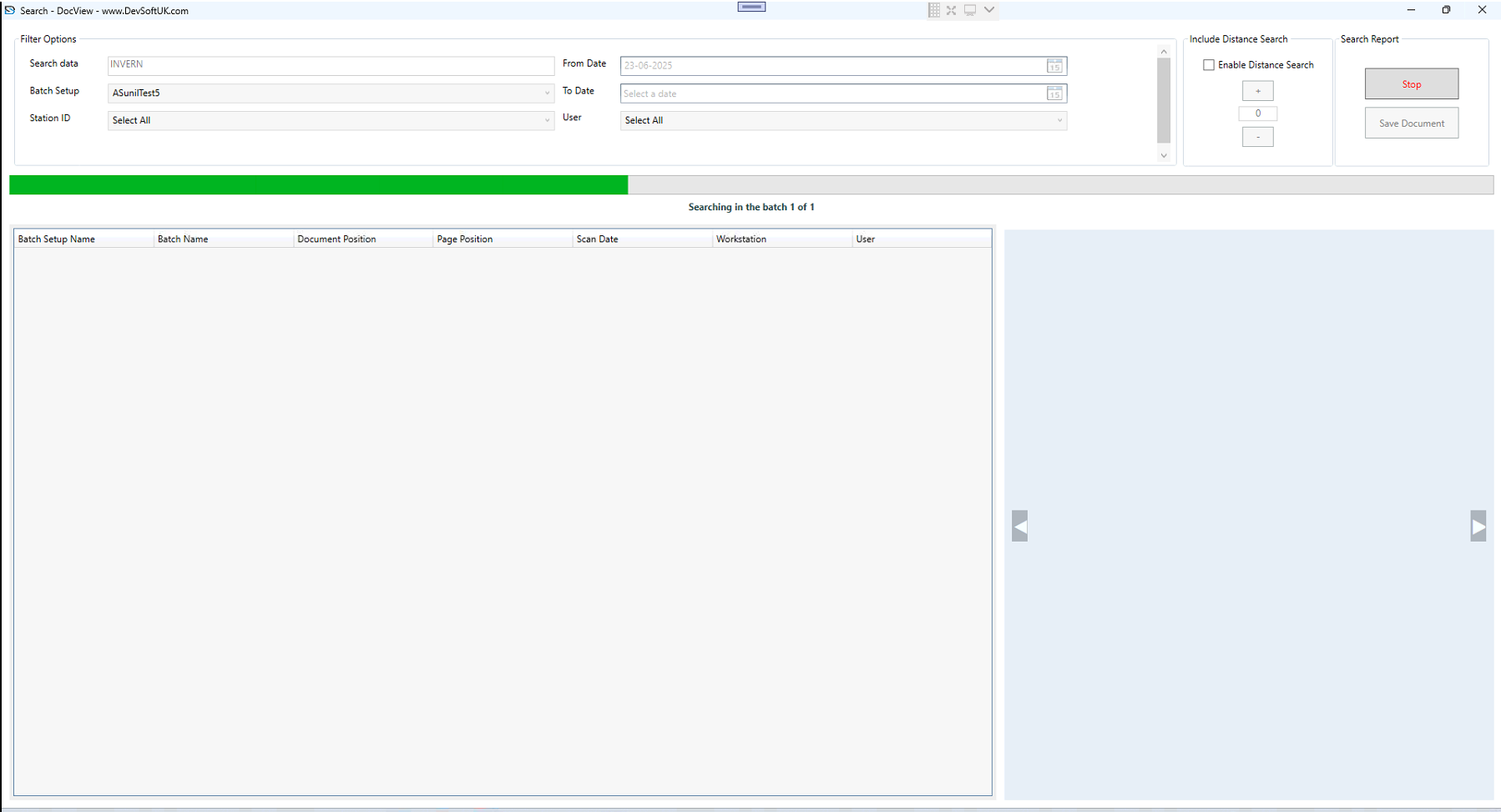
- Results can be saved for reporting and auditing.
- Export options include:
- Save Document (single or batch result)
- Integration with downstream workflows
- Ensures compliance and supports enterprise audit requirements.