Review Module
The Review Module in DocView Capture is the stage where operators validate document classification and extracted data after recognition.
It acts as the final human verification checkpoint before documents move into Indexing, Export, or Workflow routing.
Operators can confirm that each document is correctly identified, check OCR results, and make manual adjustments if needed.
Review Workflow
1. Open Batch
- Navigate to Home → Open (or press
Ctrl + O). - Select a batch that has completed QC and Classification.
- The batch loads into the Review Workspace.
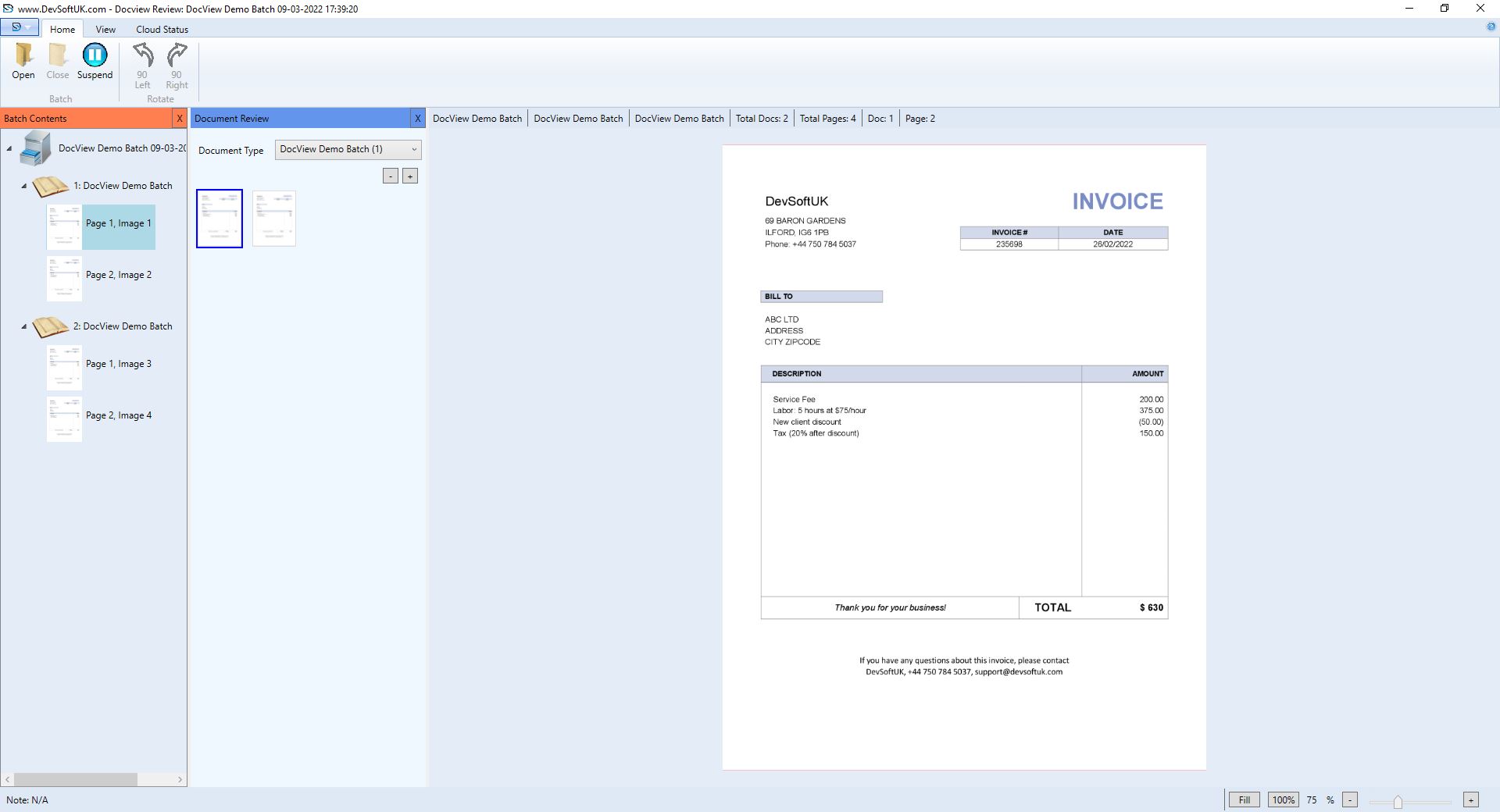
2. Batch Contents Panel
- Displays batch hierarchy: Batch → Document → Page.
- Each document appears with page thumbnails for quick navigation.
3. Document Review Panel
- Shows recognised document type (e.g., Invoice, Purchase Order).
- Allows reassignment of document type if misclassified.
- Displays extracted document data for operator confirmation.
4. Document Viewer
- Full-page preview of the document for cross-checking OCR results.
- Zoom, rotate, and fit tools available for detailed inspection.
Review Operations
- Confirm Classification – Validate that each document is correctly recognised and assigned to the right type.
- Adjust Document Type – If a document was misclassified, reassign it from the drop-down Document Type list.
- Validate OCR Fields – Check extracted text and metadata against the original document.
- Correct Errors – Manually update data fields to fix OCR or recognition mistakes.
Status Bar Indicators
The status bar displays live information about the current batch:
- Total Docs – Number of documents.
- Total Pages – Total scanned pages.
- Doc / Page – Current review location.
Toolbar Overview
Home Tab
- Open Batch – Load a batch into Review.
- Close Batch – Finalise review and mark as complete.
- Suspend Batch – Temporarily pause review; resume later.
- Rotate (90° Left / 90° Right) – Fix orientation of misaligned pages.
View Tab
- Panels
- Batch Contents
- Data Entry
- Status Bar
- Zoom Tools – View whole page, page height, page width, or fit to 100%.

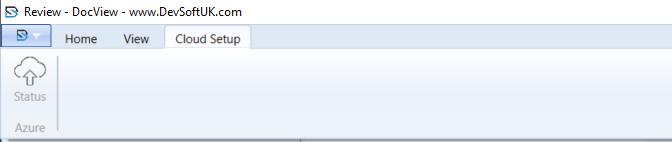
Cloud Setup Tab
- Status – Monitor cloud upload of reviewed batches.
- Azure Integration – For environments using Azure Cloud storage.