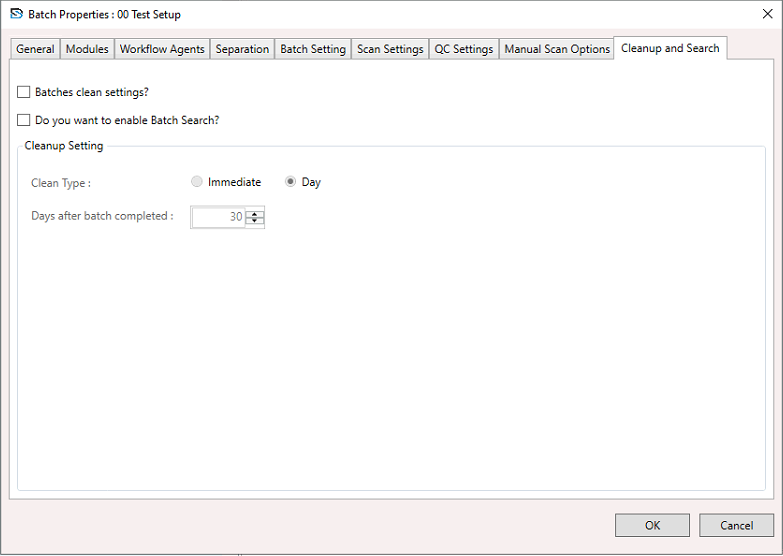
Batch Setup Properties – Cleanup and Search
This section allows you to configure automatic cleanup of completed batches and enable batch search functionality.
To configure Cleanup & Search:
- Select a Batch Setup, right-click to open the context menu, and select Batch Setup Properties.
- The Batch Setup Properties window appears.
- In the window, select the Cleanup and Search section and configure the settings below.
Batches Clean Settings
- Enable this option to automatically delete or clean up batches after completion.
- If unchecked, no automatic cleanup will occur.
Enable Batch Search
- Enable this option to allow searching through completed batches using their indexed data.
- Disabling it will turn off the search functionality for batch data.
Cleanup Settings
Clean Type
- Immediate – The batch is cleaned immediately once it is completed.
- Day – The batch will be cleaned after a specified number of days (entered below).
Days After Batch Completed
Enter the number of days to wait before the system cleans the batch.
TIP
Entering 30 means the batch will be cleaned 30 days after completion.
Buttons
- OK – Saves the cleanup/search settings and closes the window.
- Cancel – Closes the window without saving changes.