Locator Setup – Properties
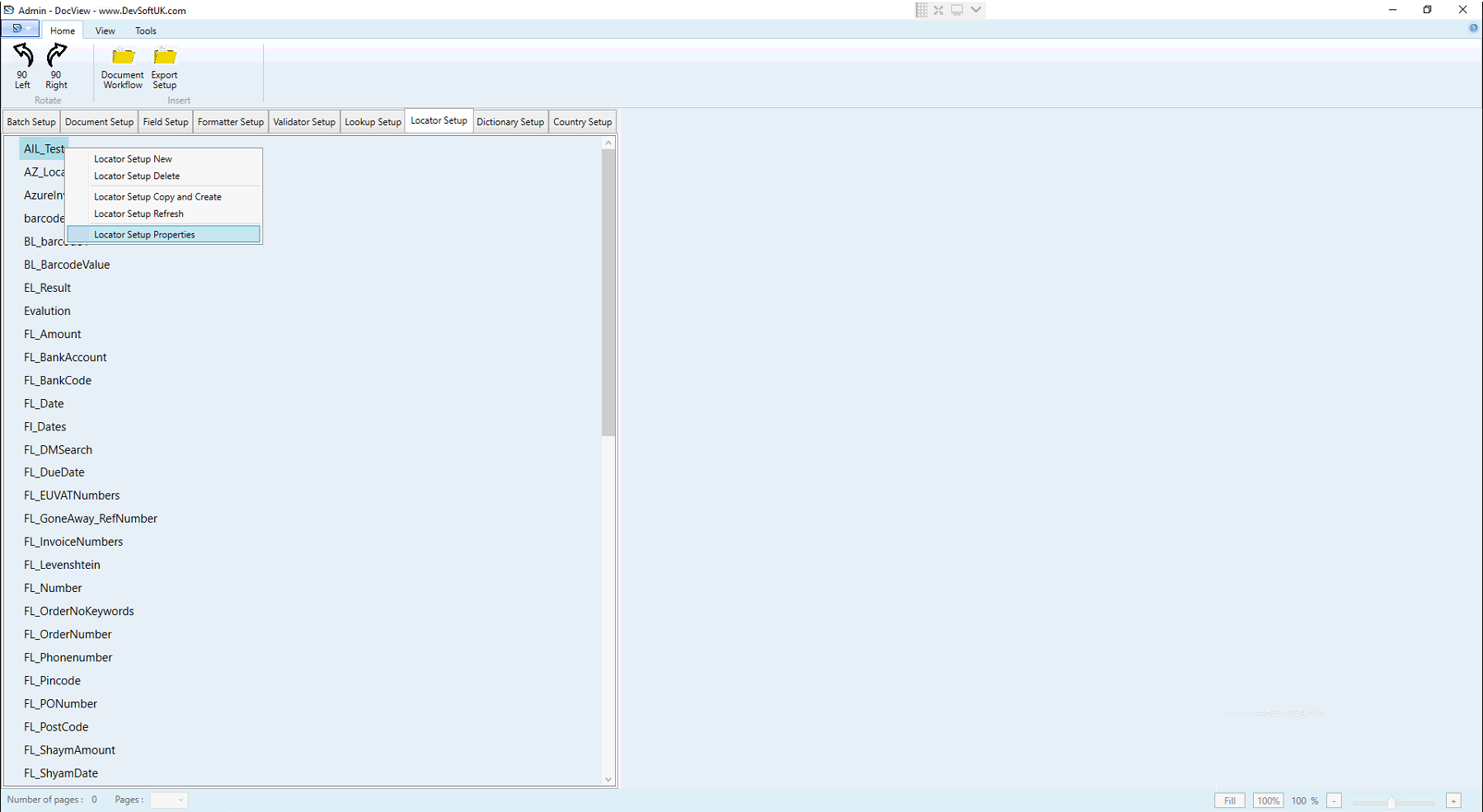
Locator Setup in DocView Capture defines the rules and methods for automatically extracting specific data fields from documents.
Locator Setup Properties
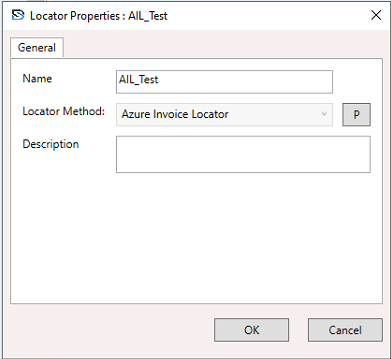
Name
- Unique name of the locator (e.g.,
AIL_Test).
Locator Method
- Extraction technique (selected as Azure Invoice Locator).
P Button
- Opens additional configuration/settings for the locator method.
Description
- Add details or notes for internal use.
Locator Method Types
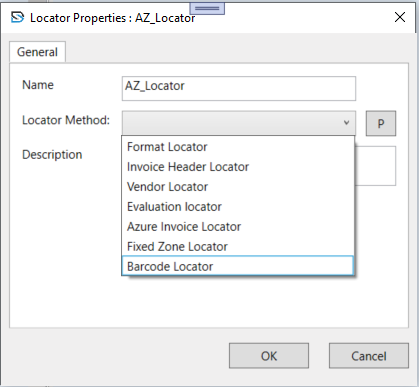
The available locator methods define the logic the locator will use:
- Format Locator: Extracts data using text formatting patterns.
- Invoice Header Locator: Extracts header-level data from invoices.
- Vendor Locator: Captures vendor information.
- Evaluation Locator: Uses rules or custom logic for data extraction.
- Azure Invoice Locator: AI-based extraction using Microsoft Azure services.
- Fixed Zone Locator: Captures data from fixed document zones.
- Barcode Locator: Extracts values from barcodes on the document.