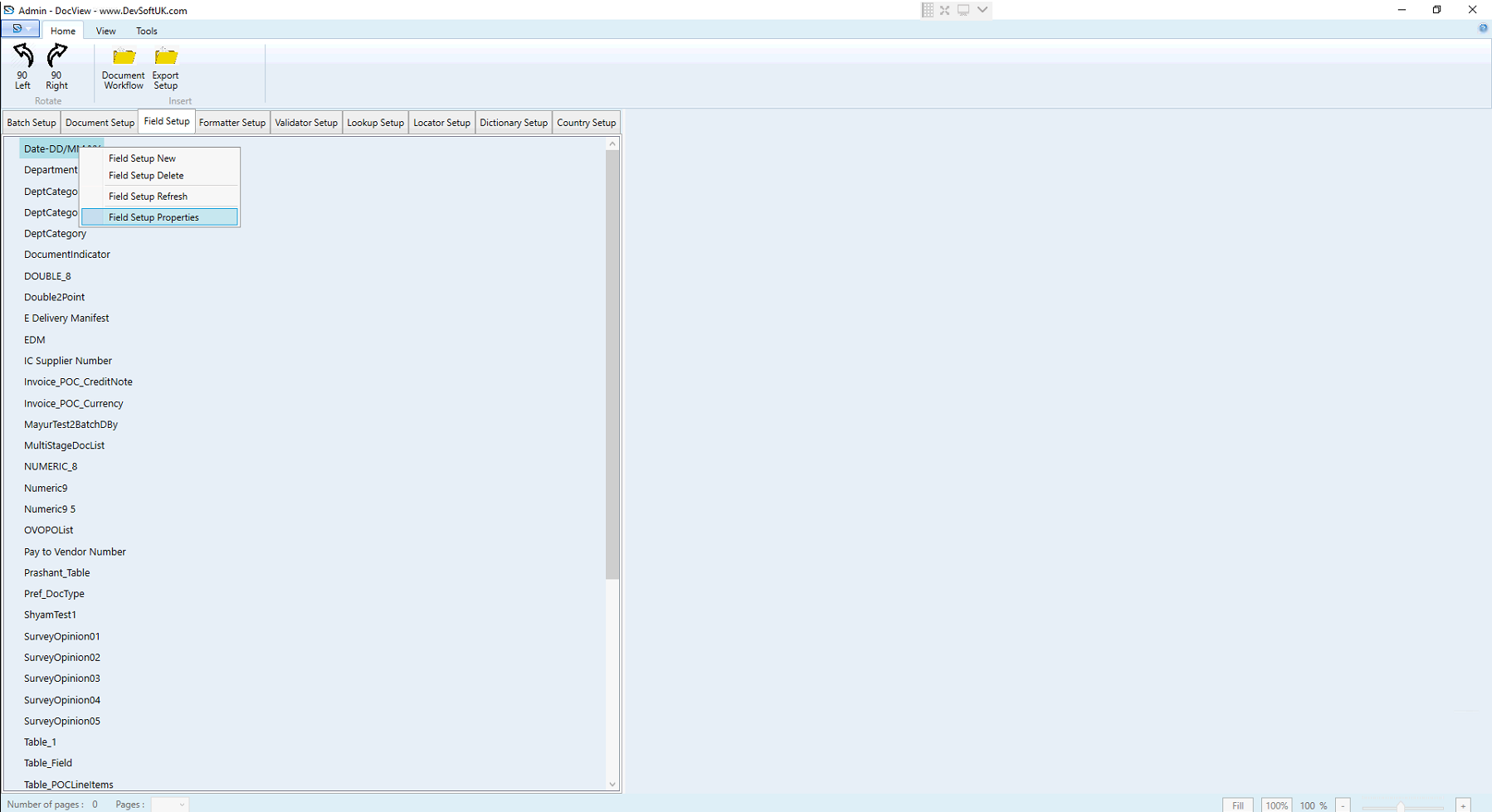
Field Setup Properties
General Section
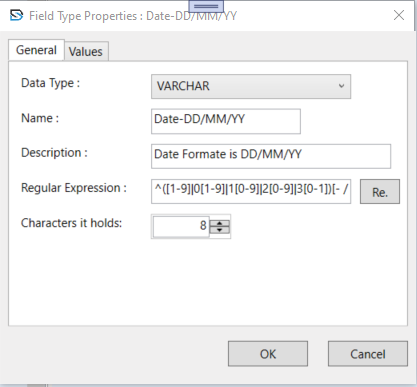
Data Type
- Defines the type of data the field will store (e.g., text, number, date).
Name
- Internal name of the field (e.g., Date-DD/MM/YY).
Description
- Information-only note; appears in batch setup.
Regular Expression
- Used to validate field input based on a custom pattern.
Characters it holds
- Maximum allowed characters (mainly for VARCHAR).
Values Section
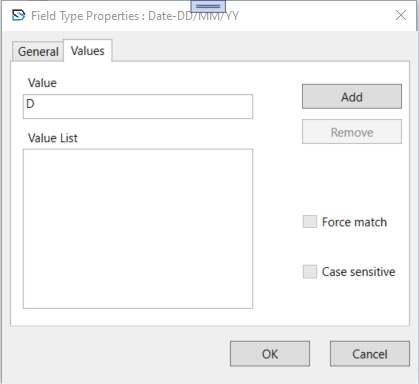
Value Input
- Enter allowed values.
Add / Remove
- Manage the list of valid values.
Force Match
- Field input must match one of the listed values.
Case Sensitive
- Enforce case-matching rules for entries.
Supported Data Types
VARCHAR– Text input. Used for names, IDs, remarks. Max characters defined.INTEGER– Whole numbers only. No decimals. Used for quantities, counts.DOUBLE– Decimal numbers. Used for prices, rates.EMAIL– Accepts only valid email addresses.DATETIME– Accepts valid date/time formats. Often validated by regex.TABLE– Used for line-item or multi-row fields. Requires table/column configuration.
Regular Expression Profiles
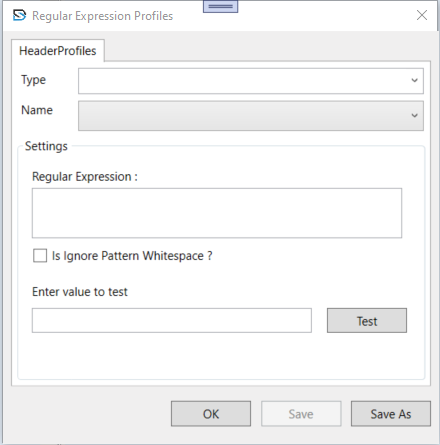
Accessed by clicking Re. next to the Regular Expression field. This window helps define and test regex rules for validating field data.
Type
- Select the data type for which the regex is being created.
Regular Expression
- The pattern that defines valid input.
Ignore Whitespace
- If checked, spaces in the pattern are ignored.
Test Input
- Enter a value to test the regex match.
Buttons
- Save – Save changes.
- Save As – Save as a new profile.
- OK – Apply the profile and close the window.