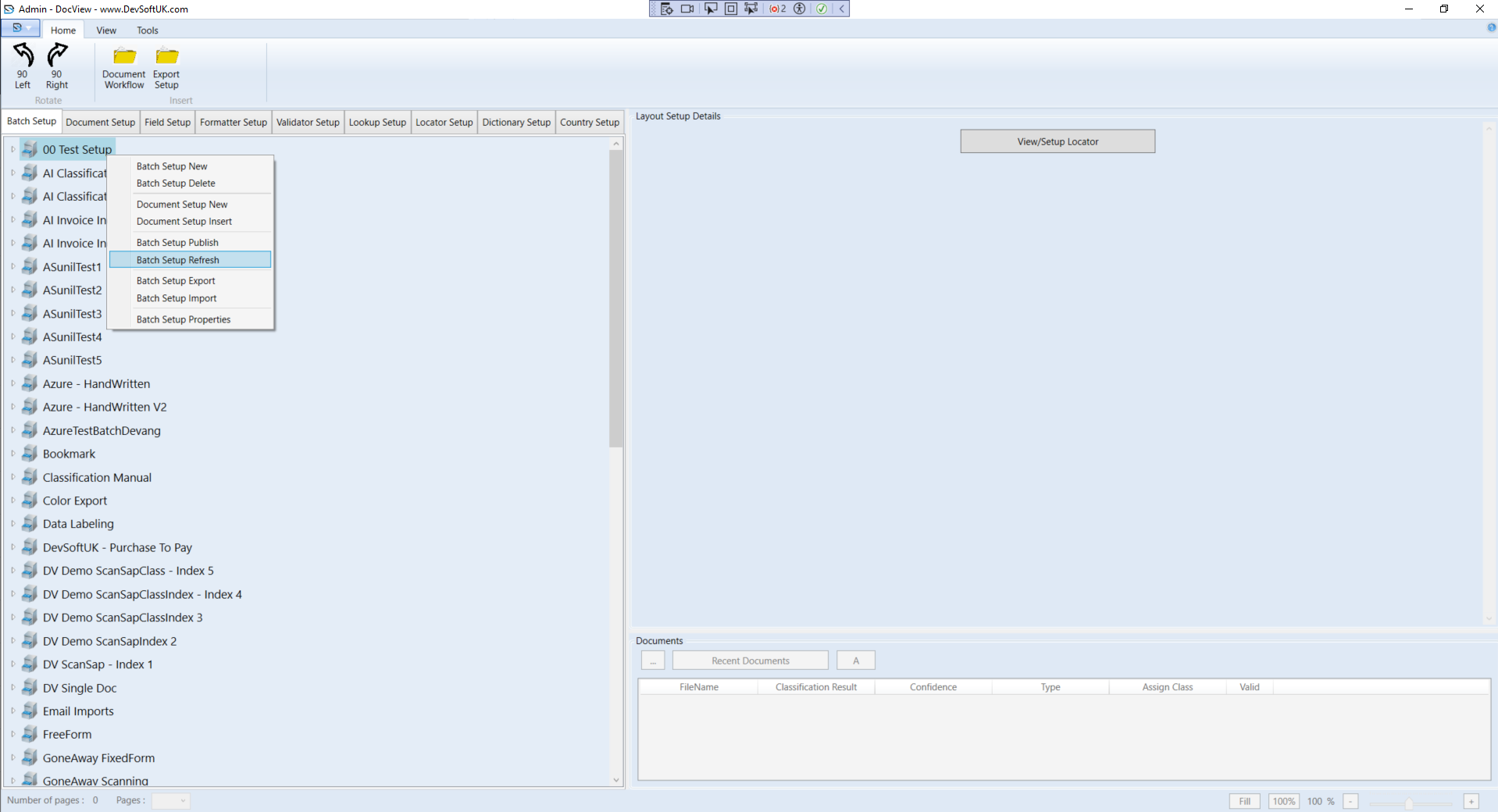
Refresh a Batch Setup
Why Refresh?
Refreshing a batch setup updates all documents and ensures any recent configuration changes are applied. Use this after editing a batch setup or updating form definitions.
Steps to Refresh a Batch Setup
Navigate to the Batch Setup Tree View
- Go to the Batch Setup tree view tab.
Select a Batch Setup
- Click on the batch setup you want to refresh.
Open the Context Menu
- Right-click on the selected batch setup to open the context menu.
- From the menu, select Batch Setup Refresh.
Batch Setup Refreshed
- After clicking Batch Setup Refresh, all documents will be updated with the latest configuration.