Export Module
The Export module in DocView Capture is an unattended, automated process designed to transfer finalized documents and their associated data to designated external systems or repositories. Once configured by an administrator, it runs in the background without operator intervention.
After processing, verification, and PDF generation are completed, the Export module handles the final step of the document lifecycle—delivering output to the target destination in one or more formats.
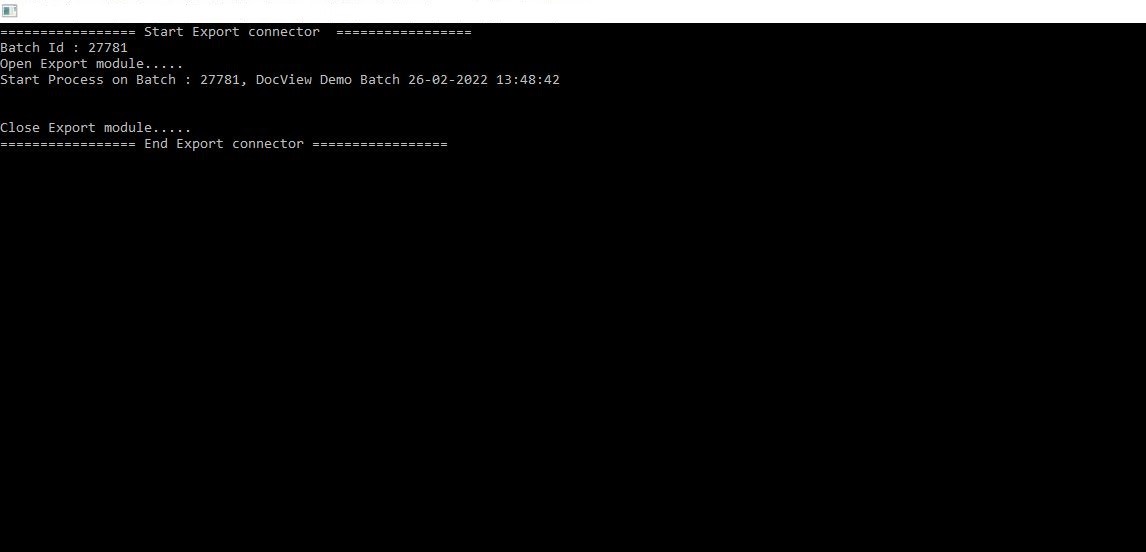
Input Configuration
Execution Modes
Supports multiple deployment modes for enterprise flexibility and scalability.
Scheduled Console Application
Runs automatically based on preset intervals or event triggers.Manual Run Application
Triggered on demand for testing or single-batch runs.Windows Service
Continuously runs in the background on local infrastructure.Azure Service
Deployable in Microsoft Azure cloud environments.AWS Service
Compatible with AWS-based workflows or document pipelines.
Configuration Files
Fully customizable via XML or JSON for tailored routing logic and field mapping.
Output Formats & Destinations
Supports multiple file formats for seamless integration with third-party systems, databases, and file-based workflows.
Supported Output Types
- CSV – Structured data for spreadsheets or ETL pipelines.
- Excel – Tabular format for business reporting or reviews.
- XML – Hierarchical data output for system-to-system integration.
- DocView – Export directly back into a DocView system or archive.
- SQL – Push records to relational databases (MSSQL, MySQL, Oracle).
- Enterprise Management Systems – SAP, Dynamics, or custom platforms.
Custom Integration Ready
Allows creation of custom export templates to meet unique business logic or system requirements, ensuring smooth integration with legacy systems, internal tools, or third-party APIs.
Key Functional Capabilities
Batch Export Processing
Handles entire document batches for export with batch ID tracking, ensuring consistency and traceability.Multiple Export Formats
Supports exporting to PDFs, XML, CSV, or custom formats depending on business requirements.System Connectors
Integrates with third-party applications such as ERP, DMS, and accounting software for automated handoff.Metadata Mapping
Ensures that captured index values (e.g., Invoice Number, Date, Vendor, Amount) are exported in the correct structure and format.Audit-Ready Logs
Tracks start and end times, module usage, and batch IDs, providing full visibility for compliance and monitoring.
Typical Workflow
Open Export Module
System initiates export for the selected batch.Batch Processing
Indexed data and documents are packaged according to predefined rules.System Delivery
Files and metadata are delivered to the target system (e.g., accounting software).Completion
Export module closes with confirmation logs.