Batch Setup Properties – QC Settings
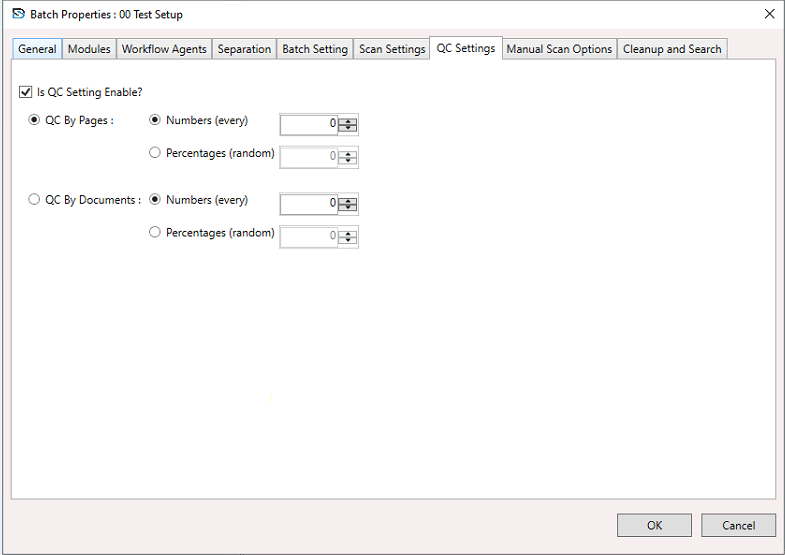
To configure QC Settings:
- Select a Batch Setup, right-click to open the context menu, and choose Batch Setup Properties.
- The Batch Setup Properties window appears.
- In the window, select the QC Setting section and configure the settings below.
Enable QC Setting
- Tick this box to enable QC settings.
- If unchecked, all other options on this screen remain disabled.
QC by Pages
Perform QC based on the number of pages.
Numbers (Every)
- QC will be done after every X pages.
Example: Every 10th page.
Percentages (Random)
- QC will be done on X% of pages randomly.
Example: 10% of total pages.
QC by Documents
Perform QC at the document level.
Numbers (Every)
- QC will be done after every X documents.
Example: Every 5th document.
Percentages (Random)
- QC will be done on X% of documents randomly.
Buttons
- OK – Saves your QC settings.
- Cancel – Discards any changes and closes the window.