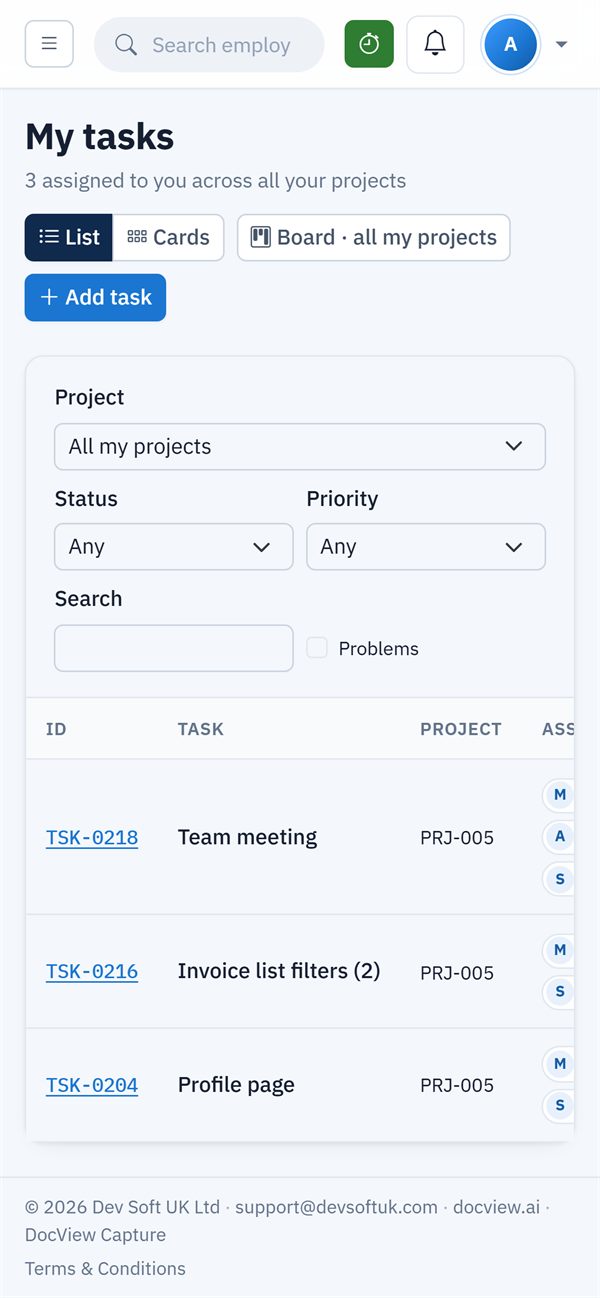
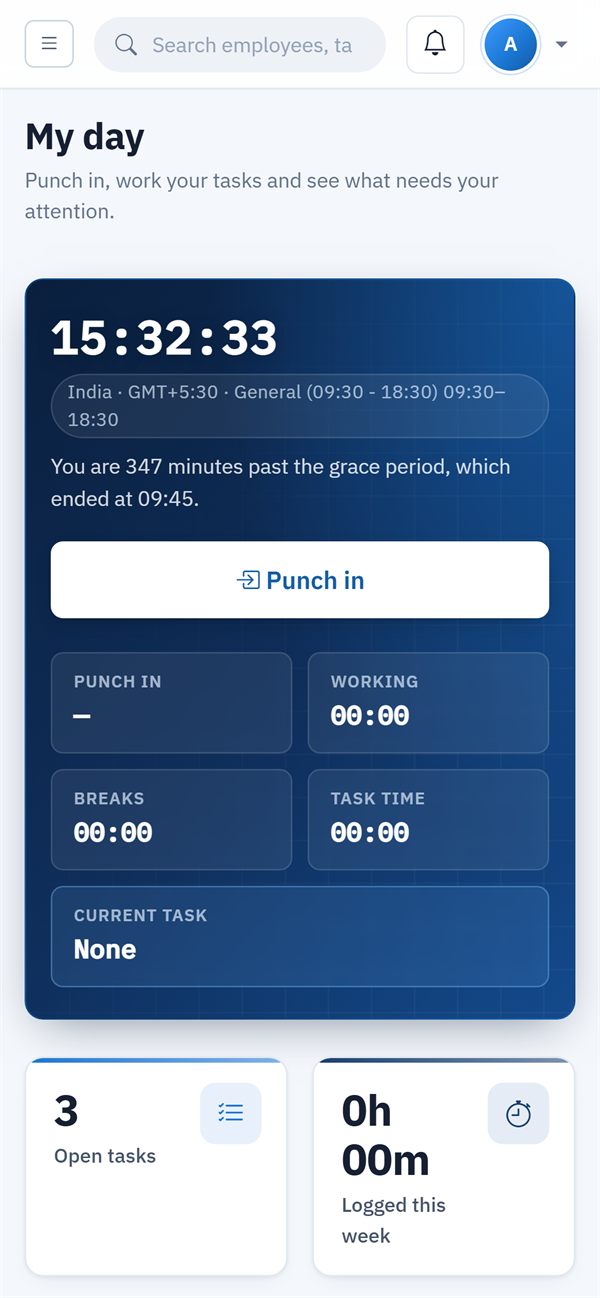
Attendance & punch in
Punch in from the web or the phone, with location if you want it, late reasons, breaks and automatic punch-out for forgotten days. Import biometric data too.
By Dev Soft UK Ltd
Punch in from the desk or the phone, see who is working right now, plan projects and tasks, approve leave in a click and pay everyone on time — DevSoft ERP puts attendance, work and payroll under one sign-in.
Everything in one place
Attendance feeds payroll, timers feed reports, leave feeds the rota. Nothing is typed twice.
Punch in from the web or the phone, with location if you want it, late reasons, breaks and automatic punch-out for forgotten days. Import biometric data too.
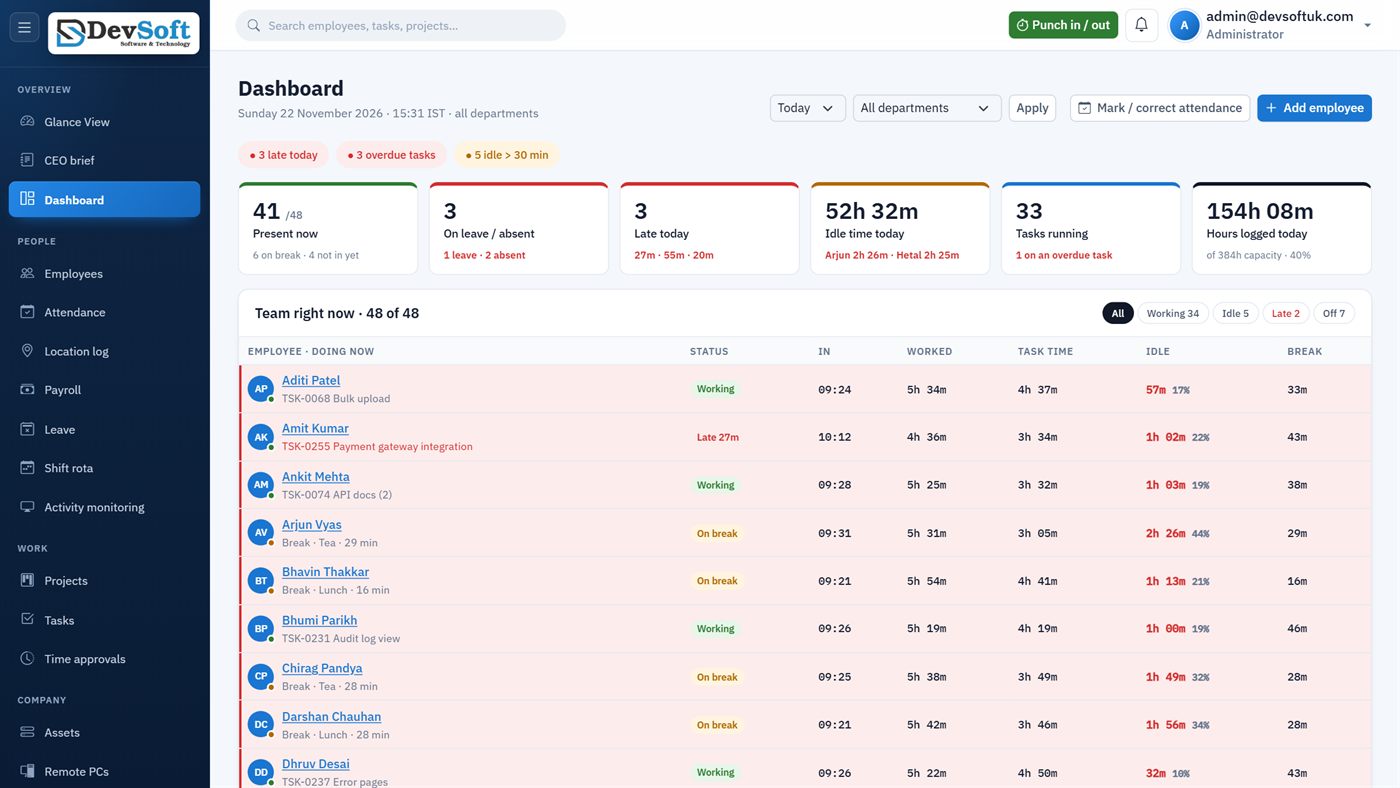
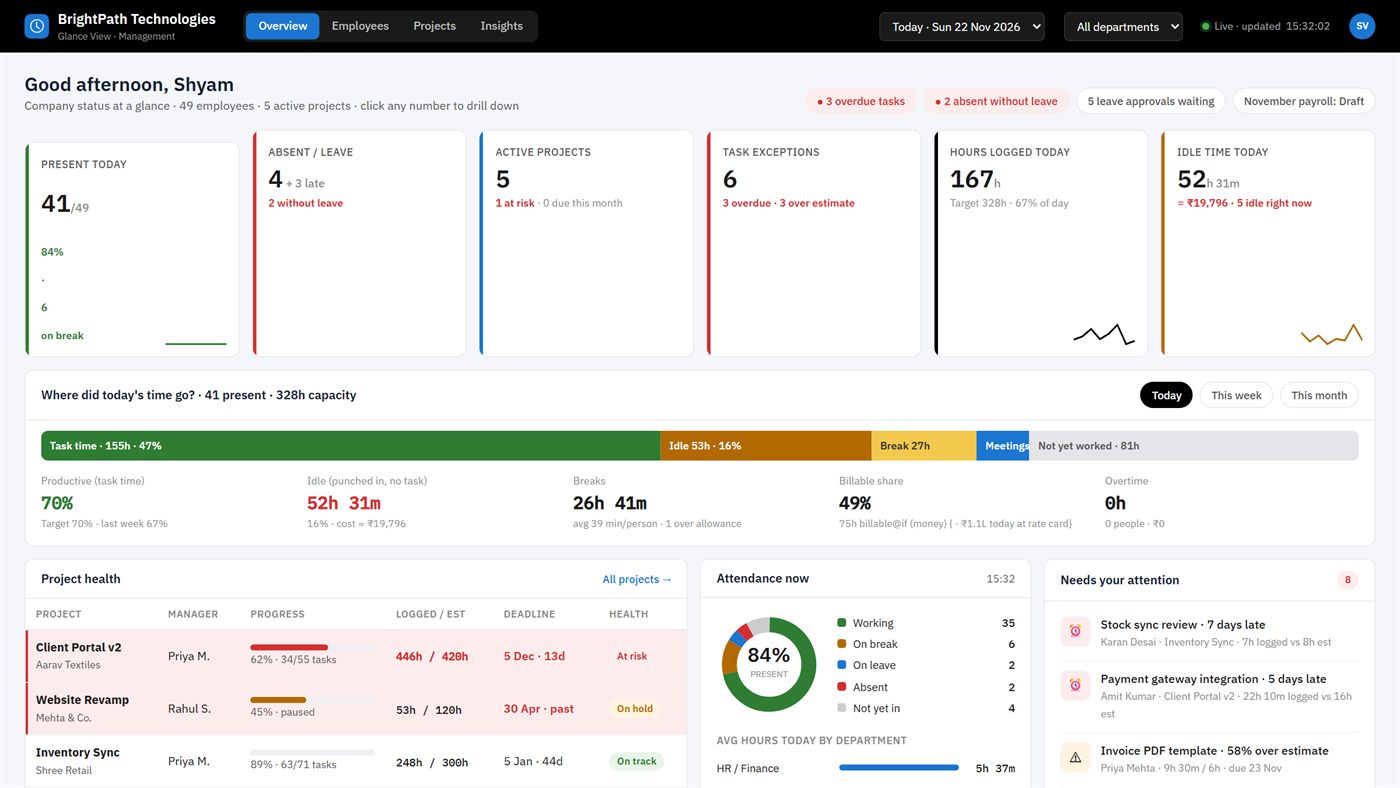
Who is working, on a break, idle or late — this minute. Where the day's hours went, project health and what needs you.
Assign work, start timers, track estimates and see overdue or over-estimate tasks in red, on lists, cards and boards.
Members, budgets in hours, progress and deadlines for every project and client, with time approvals for hand-written work.
Apply, approve or reject in one click, balances and adjustments, bank holidays and week-offs for each country.
Generated from the closed attendance month: overtime, late marks, loans, bonuses and arrears — and payslips every employee can open.
Plan who works which shift, week by week, with swaps that the colleague and a manager agree to.
Employee and project reports, daily work logs, attendance sheets, leave and payroll — live, and to Excel, PDF or print.
See and work on any office Windows PC or Mac from the browser, in tabs and full screen — even several people together.
Android app for punching in, tasks, leave and payslips, with sign-in by mobile number.
Several companies under one account, departments, and permission groups that decide exactly who sees what.
A daily picture for whoever runs the company, activity monitoring where the law and your policy allow, and an audit trail.
See it working
Every picture below is DevSoft ERP itself, running a 48-person demo company.
The dashboard shows everyone's status, when they punched in, hours worked, task time, idle time and breaks, refreshed live. Late arrivals, overdue tasks and long idle spells are flagged at the top.
Task time, idle time, breaks and meetings for the whole company in one bar, with productivity against target, project health and what needs your attention.
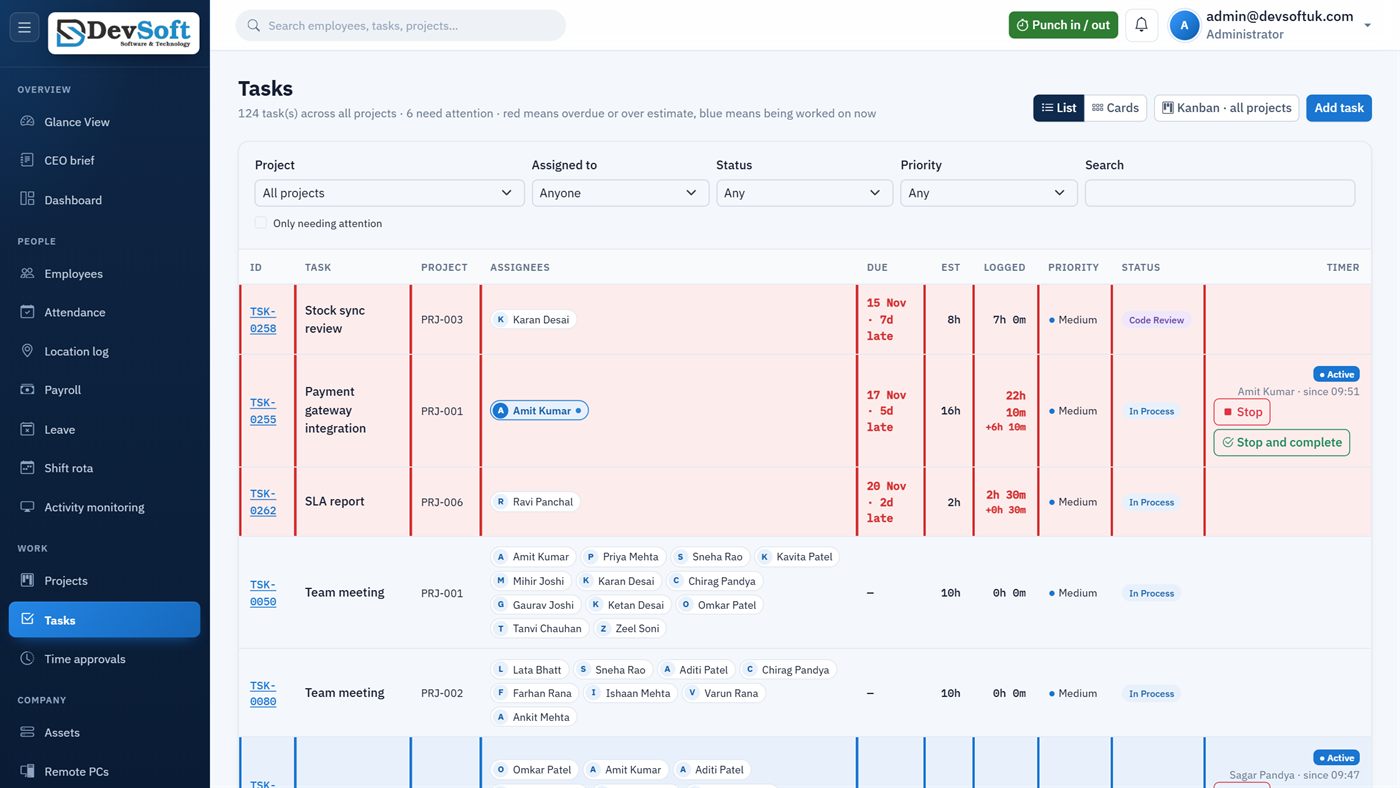
Every task carries its estimate, logged time and due date. Anything late or over estimate turns red, so a manager sees it without asking.
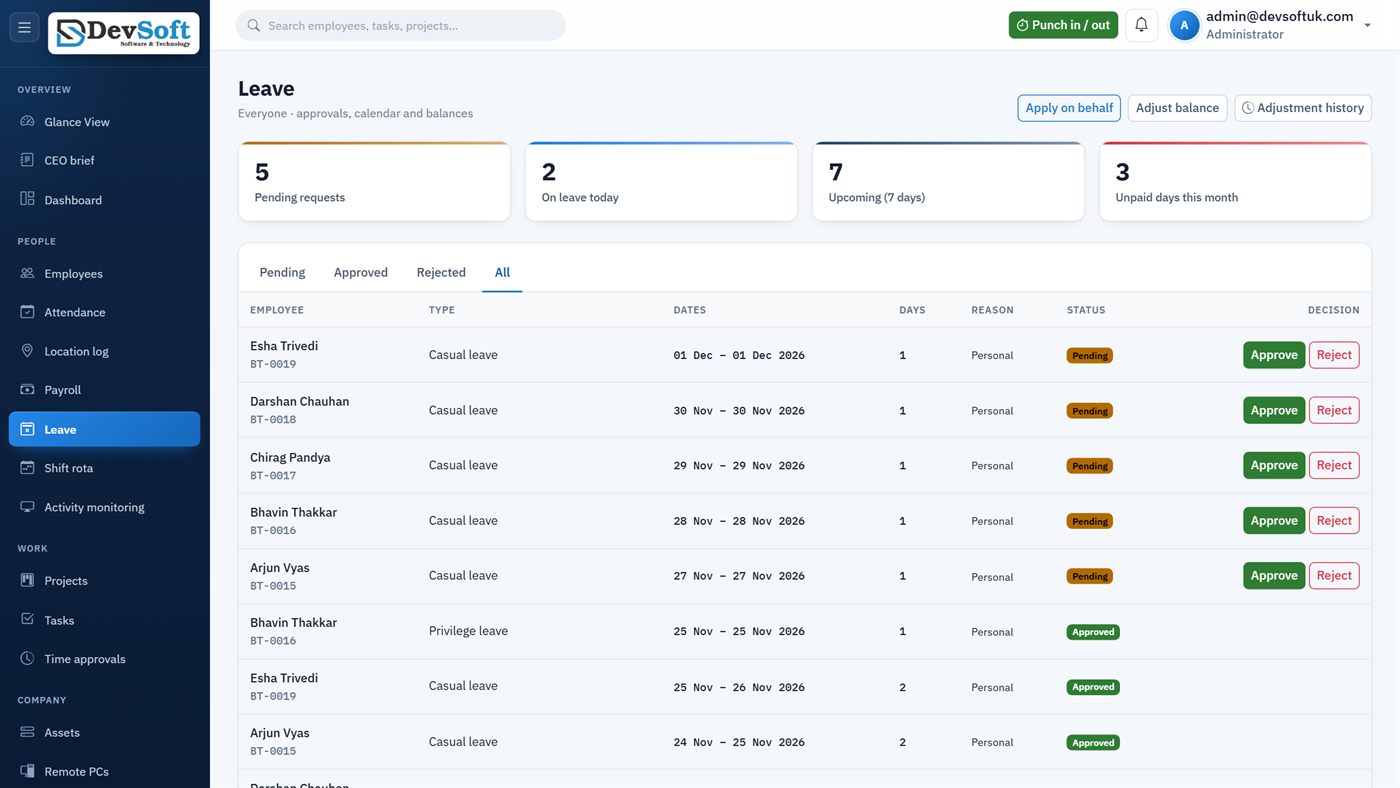
Pending requests, today's absences and the week ahead at the top; approve or reject straight from the list, and the employee is told.
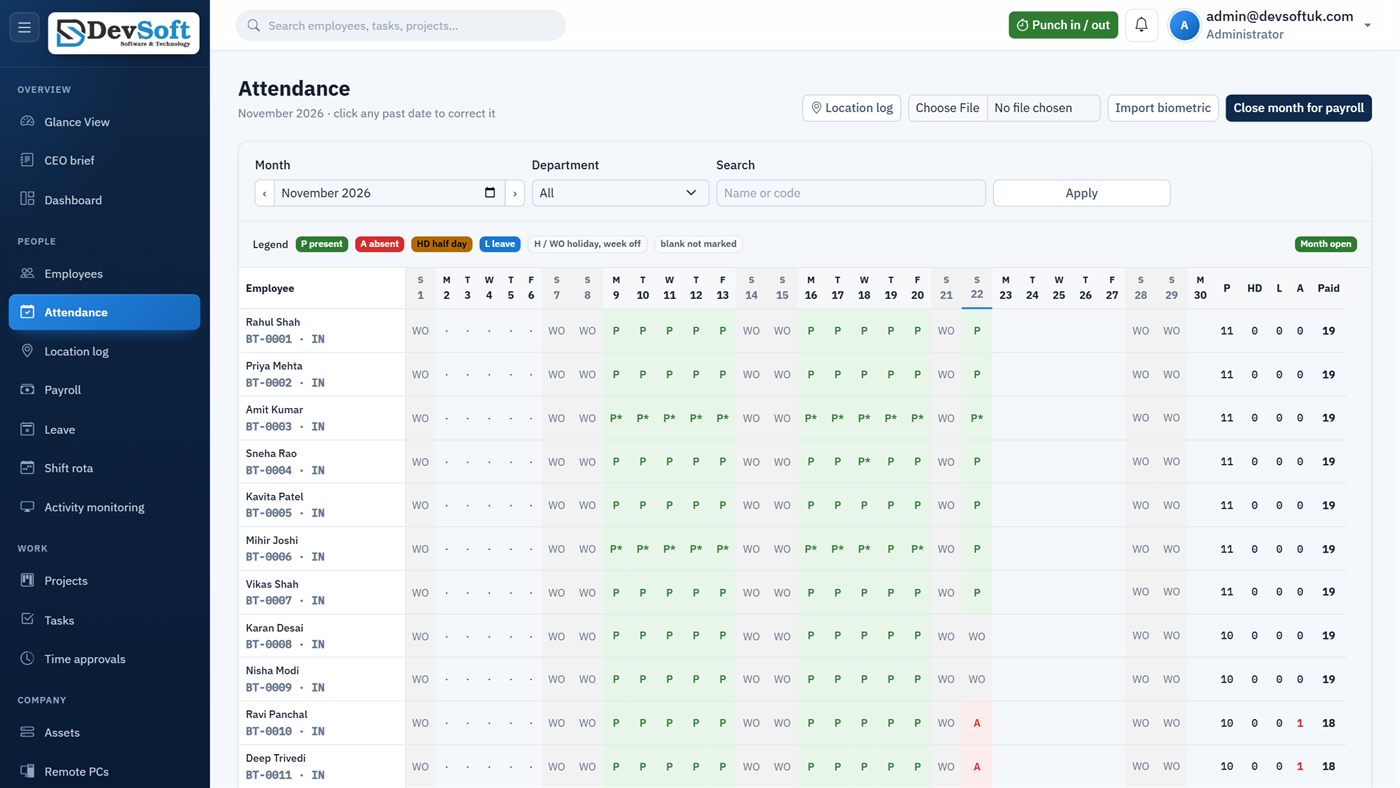
The month's attendance sheet closes into payroll: payable days, overtime and deductions are worked out for you, and payslips are ready to publish.
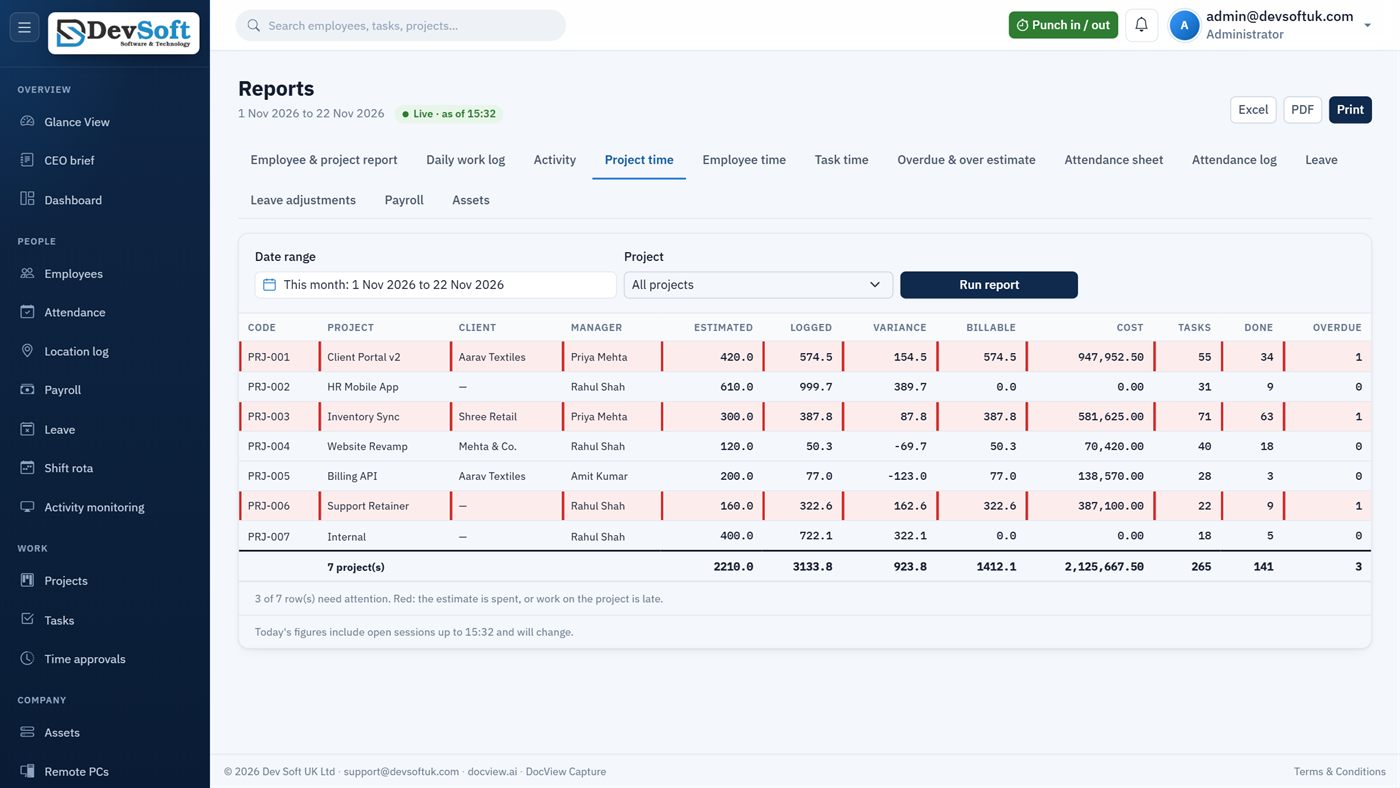
Project time, employee time, task time, overdue work, attendance, leave, payroll and assets — live up to the minute, and one click to Excel, PDF or print.
Phone app
Your team punches in, starts and stops tasks, applies for leave and opens payslips from their phone. The same account works on the website and the app.
Remote PCs
Install the small DevSoft agent on a Windows PC or Mac and open it from Remote PCs — no extra software for you.
Safe by design
Hosted in the UK, always over HTTPS.
Everyone sees only what their role allows — their own, their team's or everybody's.
Each company's data is separated on every query.
New versions are signed by Dev Soft UK and installed when you choose.
Questions
DevSoft ERP is an online system for running a team: attendance and punch in, tasks and timers, projects and clients, leave, payroll, shift rota, reports, Remote PCs and a phone app, all under one sign-in.
Yes. Staff punch in and out from the website or the Android app. The company can ask for their location at punch in, ask for a reason when someone is late, and close a day automatically when someone forgets to punch out.
Yes. Payroll is generated from a closed attendance month, with overtime, late-mark deductions, loan recovery, bonuses and arrears, and each employee sees their own salary slips.
Yes. One account can belong to several organisations and switch between them, and departments, permission groups and data scopes decide exactly what each person sees.
A small program on a Windows PC or Mac lets you see and work on that computer from your browser — full screen, several PCs in tabs, and several people on one PC together — with the person at the PC asked first unless you allow unattended access.
DevSoft ERP runs on Microsoft Azure in the UK, over HTTPS. Each organisation's data is kept apart, and every person sees only what their permission group allows.
Write to support@devsoftuk.com or call +44 7886 864921 for a free demonstration. We set up your organisation, import your people and have your team punching in the same day.
Book a free demonstration. We set up your organisation, bring in your people and have everyone punching in the same day.