Delete a Batch Setup
Important
Deleting a batch setup is permanent. Ensure that the batch setup is no longer in use or needed before confirming deletion.
Steps to Delete a Batch Setup
Navigate to the Batch Setup Tree View
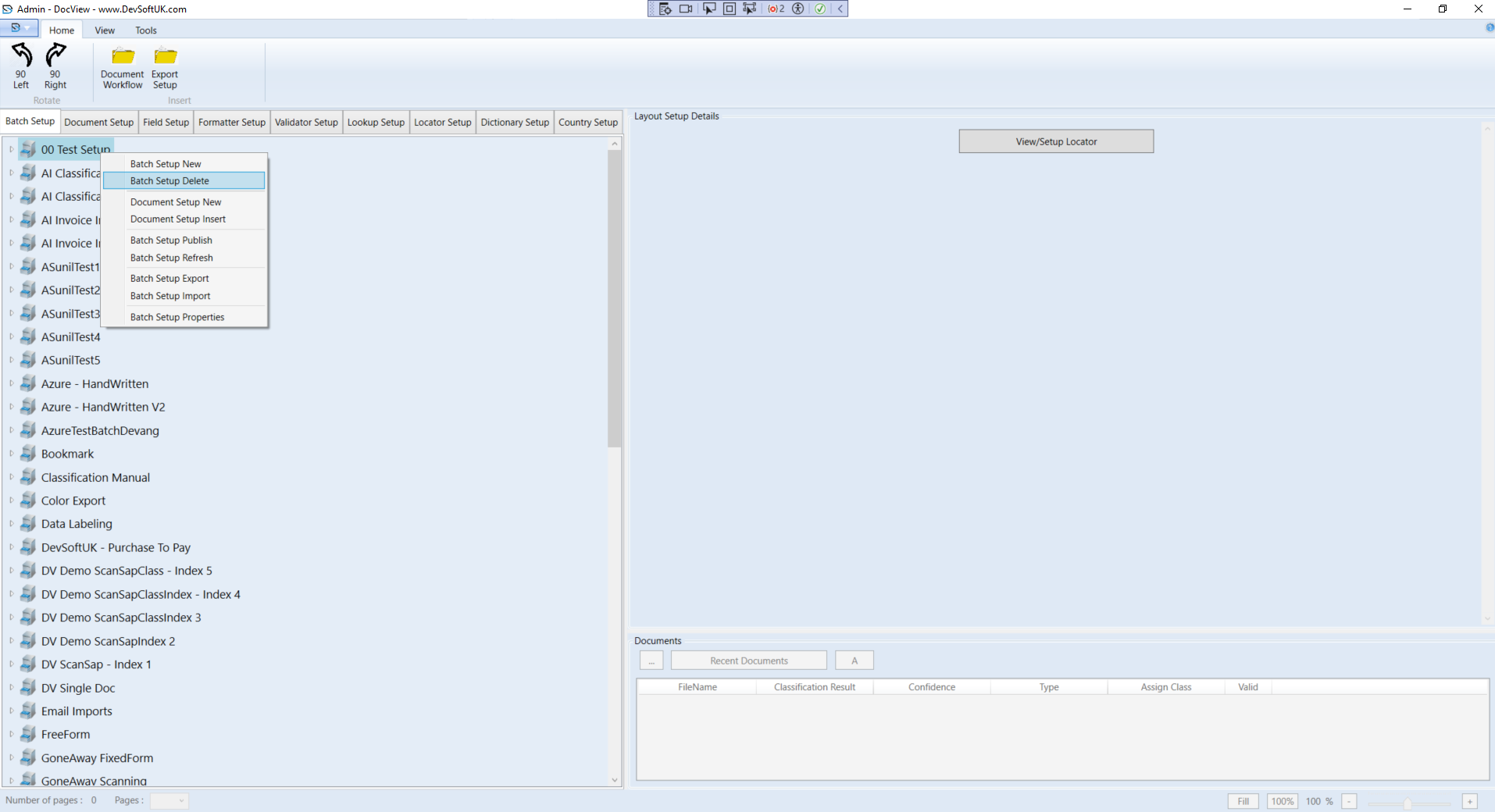
- Go to the Batch Setup tree view tab.
Select a Batch Setup
- Click on the batch setup you want to delete.
Open the Context Menu
- Right-click on the selected batch setup to open the context menu.
- From the menu, select Batch Setup Delete.
Confirm Deletion
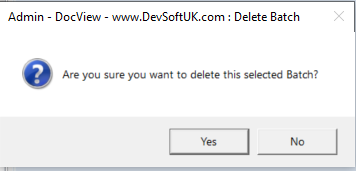
- A popup box will appear asking for confirmation.
- Click Yes to confirm.
Batch Setup Deleted
- The selected batch setup will be removed from the list.