Cleanup Module
The Cleanup module in DocView Capture is responsible for the automatic removal of completed batches from the system after a defined retention period.
This ensures optimized storage usage, improved system performance, and compliance with data-retention policies.
Administrators can define cleanup rules to delete completed batches immediately or after a configurable number of days.
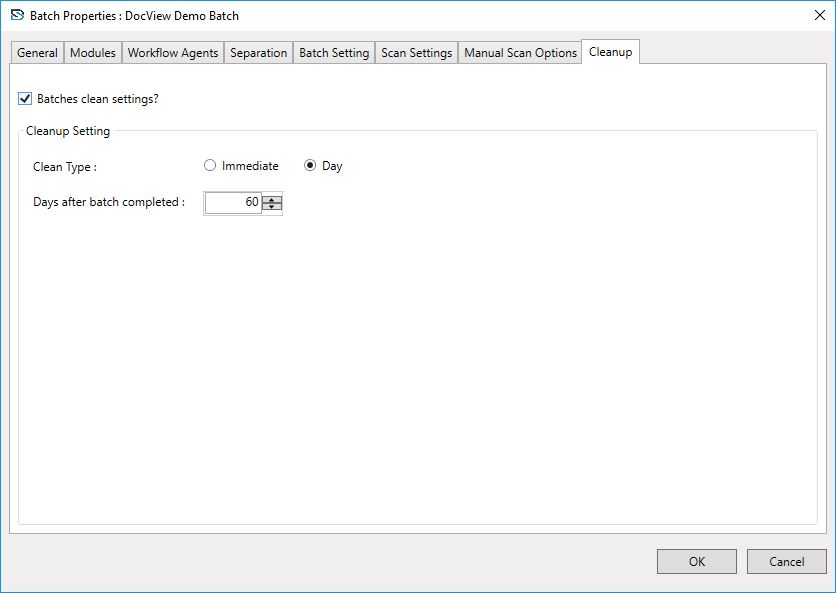
Key Functional Capabilities
Batch Clean Settings
- Enable or disable cleanup rules for batches.
- Choose between Immediate or Day-Based cleanup.
Cleanup Type
- Immediate – Deletes batches as soon as they are completed.
- Day-Based – Retains batches for a defined number of days before deletion.
Retention Period
- Configure the number of days to retain completed batches (e.g., 30, 60, 90 days).
Automated Maintenance
- Reduces manual intervention by automatically deleting completed batches.
System Optimization
- Frees up disk space, prevents database clutter, and ensures only active batches remain available.
Compliance Ready
- Supports organizational and regulatory data-retention requirements by enforcing cleanup policies automatically.
Typical Workflow
Enable Batch Cleanup
Administrator enables the "Batch Cleanup Settings" option in the Cleanup tab of Batch Properties.Select Cleanup Type
- Immediate – Batches are removed instantly after completion.
- Day-Based – Batches remain for a set period before deletion.
Configure Retention Days
Enter the number of days after which completed batches will be automatically removed.Batch Completion
Once a batch is finished, it stays in the system until the retention period expires.Auto Cleanup
The system deletes the batch automatically and updates internal logs, ensuring optimized storage and compliance.