Dictionary Setup – Properties
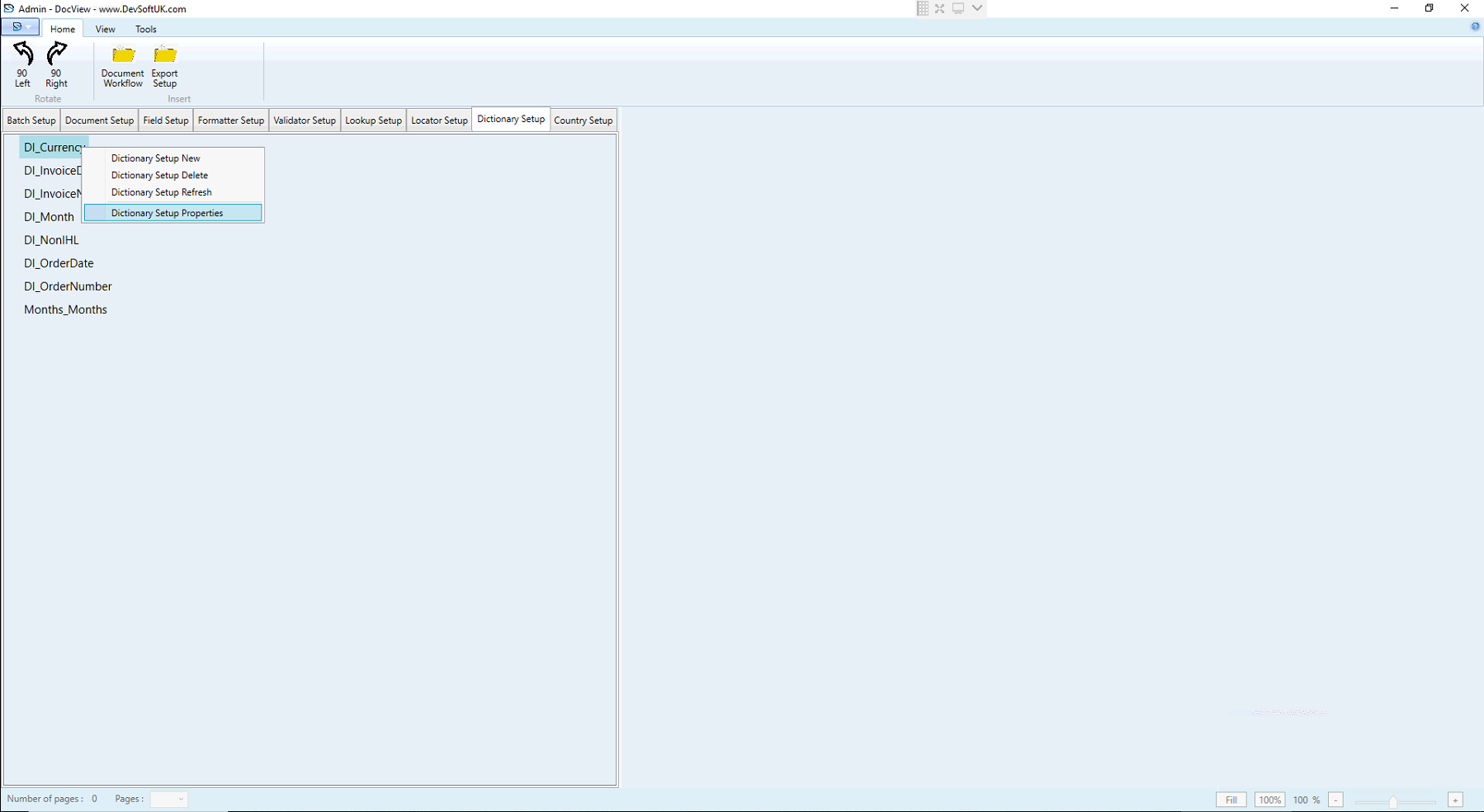
The Dictionary Setup in DocView defines a list of reference values used for validating or auto-filling data during document processing.
This setup allows the system to reference external data (like currency codes, vendor names, etc.) to improve data accuracy and consistency.
Dictionary Setup Properties
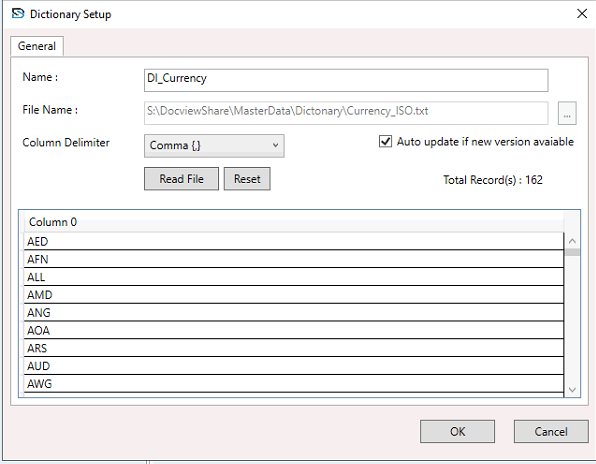
Name
- Example:
DI_Currency - Unique name/ID of the dictionary.
- Used to reference this dictionary during Field Setup to link a field to a list of valid values.
- Naming convention: Usually starts with
DI_to indicate it’s a dictionary item.
File Name
- Example:
S:\DocviewShare\MasterData\Dictionary\Currency_ISO.txt - Path to the actual dictionary file.
- The system reads this file to load the dictionary values (typically
.txtwith rows and delimiters).
Column Delimiter
- Example: Comma (,)
- Character used to separate values in the dictionary file.
- Common delimiters: Comma (,), Tab, Pipe (|).
- Correct delimiter is required for proper preview display.
Auto Update if New Version Available
- If checked, the system automatically reloads the dictionary when a newer version of the file is found.
- Ensures the latest data is used, especially in multi-user environments.
Read File Button
- Reads the content of the specified dictionary file and loads it into the table view.
- Useful when changing files or manually reloading updated values.
Reset Button
- Restores the dictionary to its last saved or default state.
- Use if incorrect changes were made or the wrong file was selected.
Total Records
- Example:
162 - Displays the number of entries loaded from the file.
Preview Table
- Shows the actual values from the dictionary file.
- Each row represents an entry (e.g., currency codes like AED, AFN).
- Helps verify that correct data is loaded.