Document Setup Overview
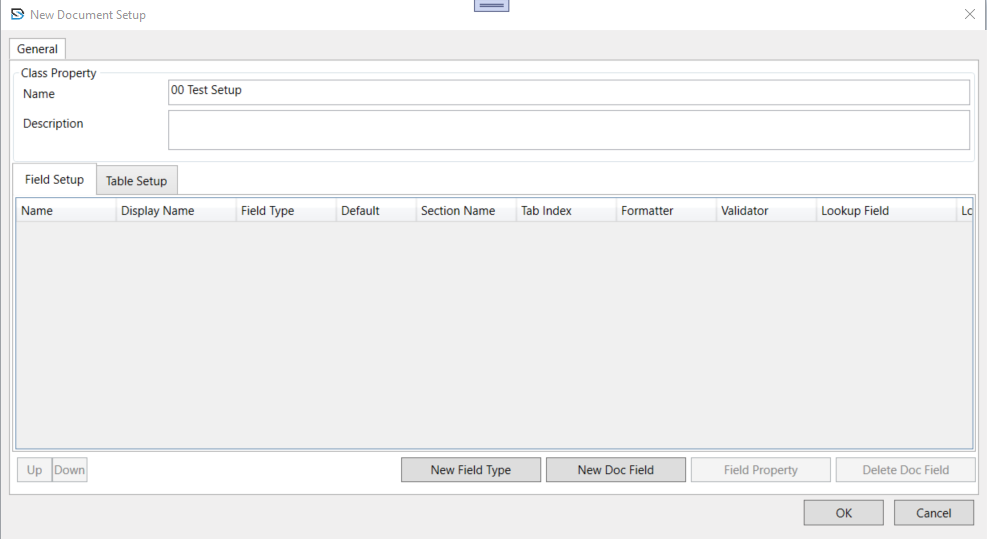
A Document Setup defines the structure of a specific document type. For each setup, you can configure the relevant properties and processing rules:
- Specify index fields used for document retrieval.
- Configure attributes for each index field, such as hidden or sticky.
- Select a single, required form type.
Input Configuration
Document Setups provide a convenient way to associate a common set of index fields with multiple form types. You can define a setup, add one or more form types to it, and link a shared set of index fields that apply across all associated forms.
Example Scenario
An HR department processes various employee forms such as onboarding forms, leave requests, and performance reviews.
Each form looks different but contains shared information such as:
- Employee Name
- Employee ID
- Department
By creating a single setup, these common index fields can be defined once and applied across all related forms.
For this scenario:
- One setup called Employee Records can be created.
- A different form type for each form (onboarding, leave request, performance review) can be added to the setup.
- A shared set of index fields can be associated with all form types in the setup.
Creating and Editing Setups
- Create new setups using the New Document Setup window.
- Edit existing setups using the Setup Properties window.