Dictionary Setup Overview
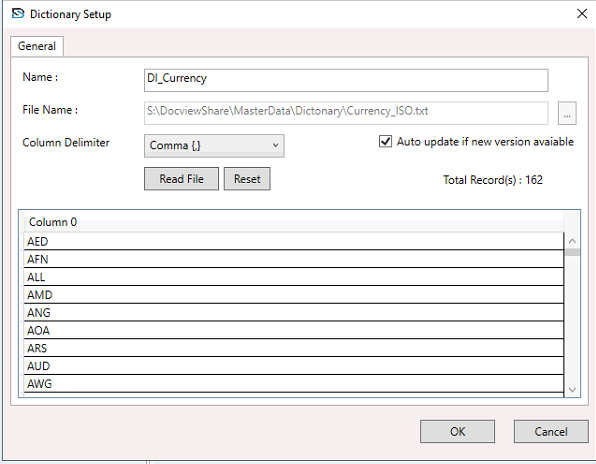
In DocView Capture, Dictionary Setup allows you to configure external reference data files used to validate and normalize extracted document data.
- Define the dictionary name and select the source file containing the reference data (e.g., currency codes, vendor codes, product lists).
- Choose the column delimiter (Comma, Semicolon, Colon, Tab, or Vertical Bar) for properly parsing the file contents.
- Optionally enable auto-update to automatically refresh the dictionary if the source file changes.
- Supports improved data quality by comparing extracted document values against predefined dictionary values.
Dictionaries are assigned to fields during Field Setup, enabling automatic validation and standardization of extracted data against known reference lists.
NOTE
A well-configured dictionary ensures consistent, error-free data capture, reduces manual intervention, and enhances the accuracy and efficiency of document processing.