PDF+ Module
The PDF+ module in DocView Capture is designed to generate searchable and structured PDF files from processed batches.
It ensures that documents are efficiently converted, organized, and ready for downstream use such as archiving, compliance, and easy retrieval.
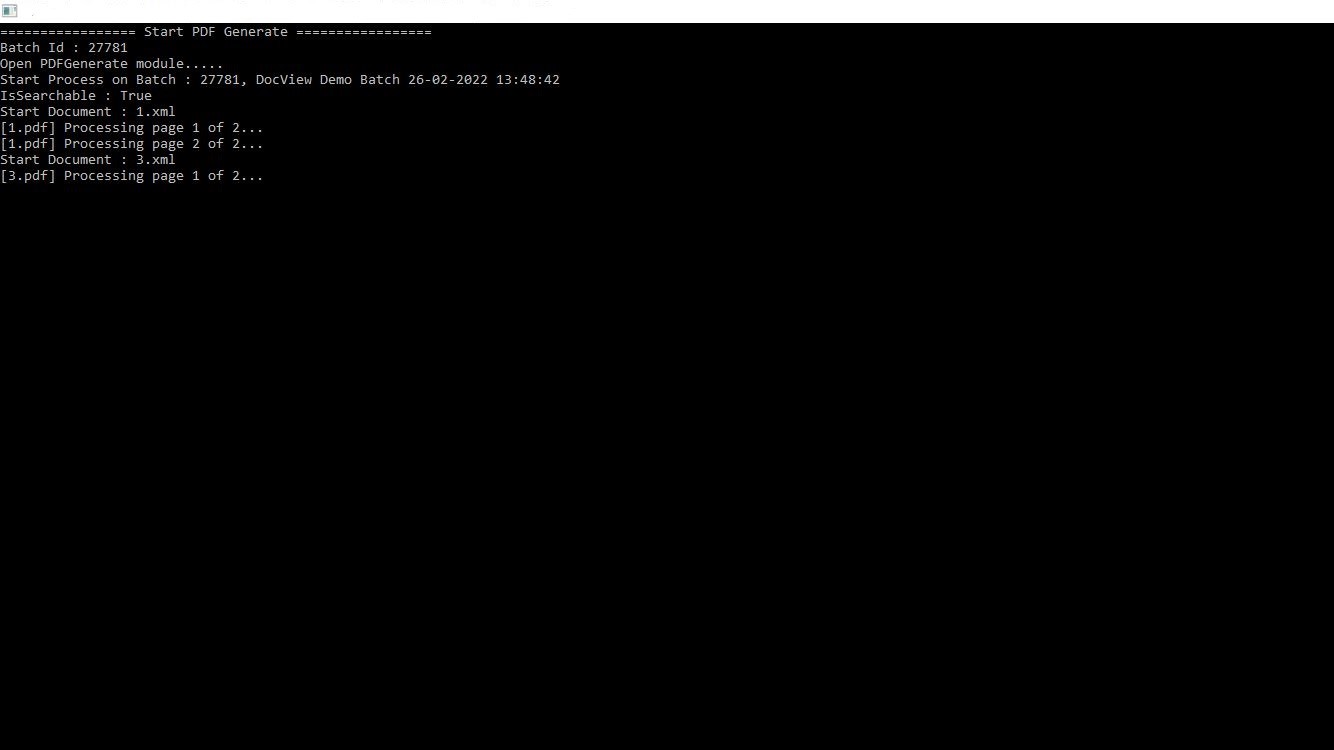
Input Configuration
Key Functional Capabilities
Batch PDF Generation
Converts all scanned and processed documents in a batch into PDF format with structured naming and indexing.Searchable PDF (OCR-enabled)
Supports creation of searchable PDFs by embedding OCR text layers, allowing full-text search within generated documents.Multi-Page Document Handling
Combines multi-page input files into single PDF documents, maintaining correct order and structure.Metadata Integration
Associates key index values (e.g., Batch ID, Document Name, Timestamps) with generated PDFs for audit readiness and downstream compatibility.Real-Time Progress Tracking
Displays live progress during PDF generation (e.g., processing pages, batch details, timestamps), giving transparency and control to operators.
Typical Workflow
- Start Batch Processing – The system initiates PDF generation for the selected batch.
- Document Conversion – Each file (e.g., XML input, scanned images) is converted into a PDF.
- Page Processing – Multi-page files are handled sequentially, ensuring correct pagination.
- Searchability Confirmation – OCR is applied where enabled, ensuring documents are searchable.
- Final Output – A completed PDF batch is generated, ready for archiving or export.