Lookup Setup Properties
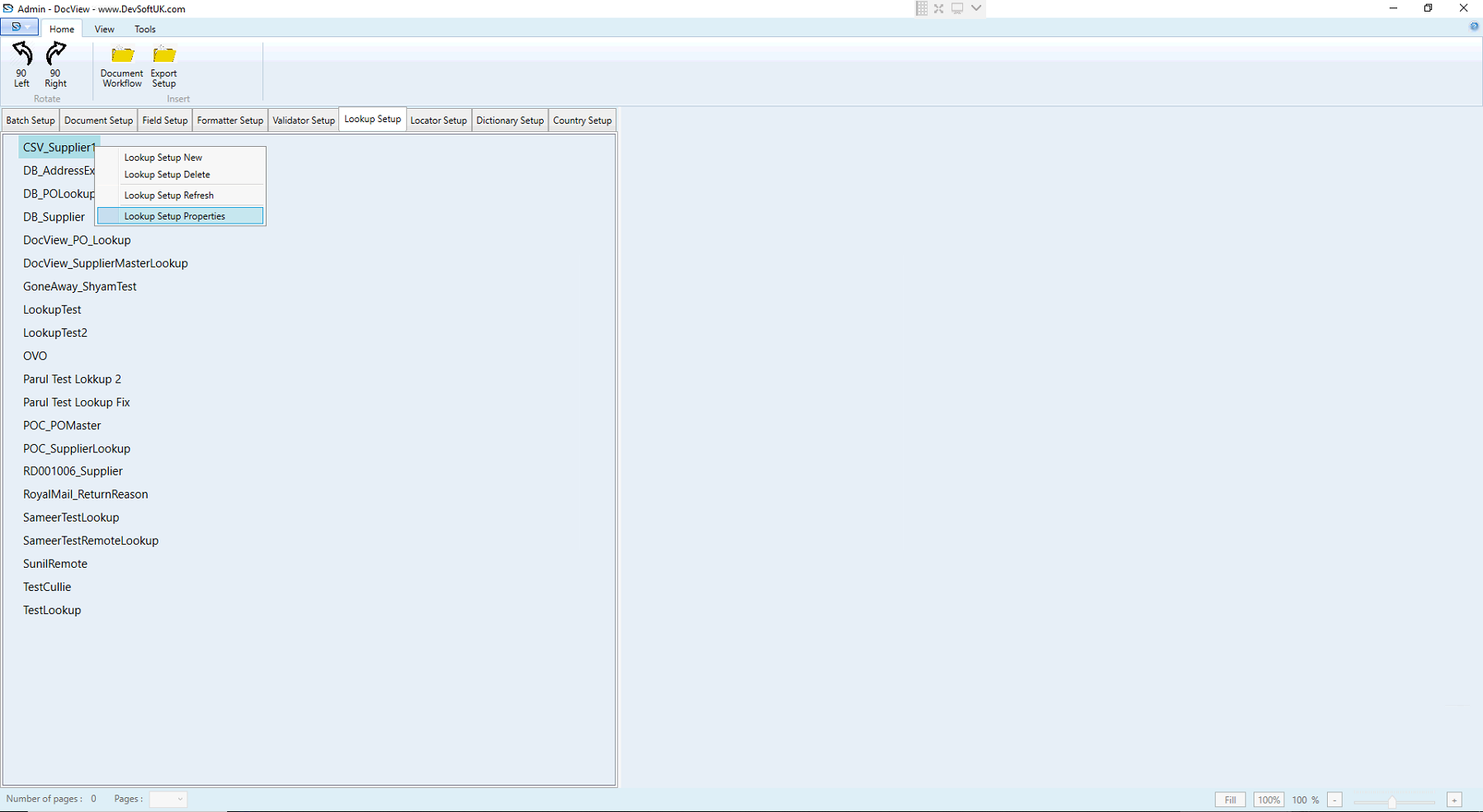
The Lookup Setup in DocView Capture allows users to integrate external data sources—either static files or live databases—into their document workflows.
These lookups are particularly useful for data validation, auto-completion, and enforcing business rules during indexing, scanning, or validation.
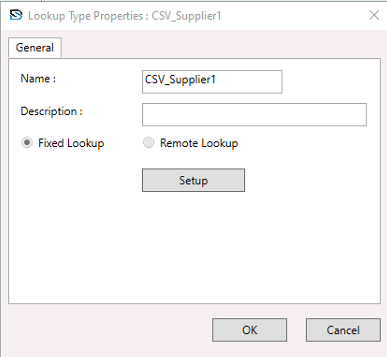
Name
- The unique name identifier for the lookup source.
Description
- Optional: Used for internal reference/documentation to explain the lookup’s purpose.
Lookup Type
- Select whether the data source is a Fixed Lookup or a Remote Lookup.
Fixed Lookup Type
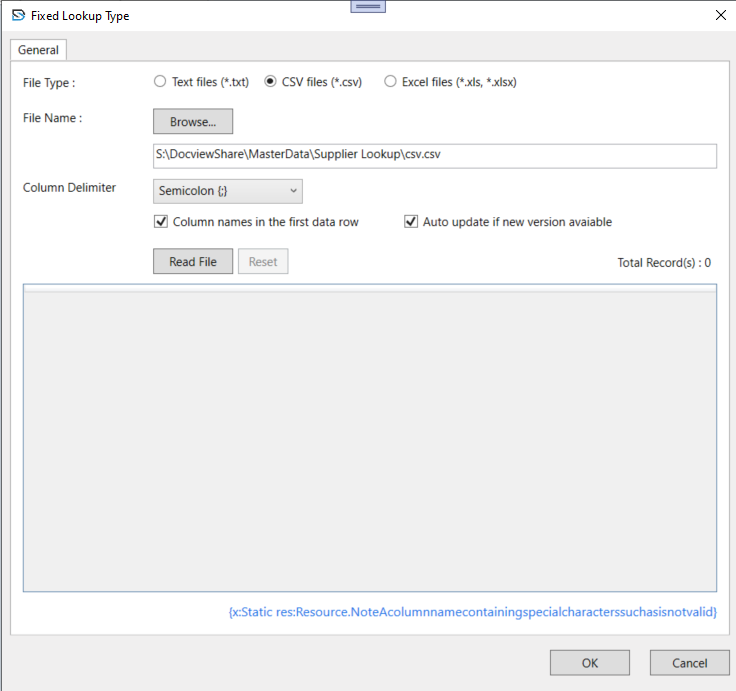
- File Type: Choose between Text (
*.txt), CSV (*.csv), or Excel (*.xls, *.xlsx) files. - File Name: Path to the lookup file. Click Browse to select a file.
- Column Delimiter: For
.txtand.csvfiles, choose the delimiter (Comma, Tab, Semicolon, etc.). - Column names in the first data row: Indicates if the first row contains headers.
- Auto update if new version available: Automatically reloads updated files at runtime.
- Read File Button: Loads the file content into the preview area for validation.
- Reset Button: Clears file path and resets selections.
NOTE
- The lookup file must have clean column headers (avoid symbols like
#,%,@, etc.). - You will see a preview of data after clicking Read File.
- The system will show Total Record(s) loaded.
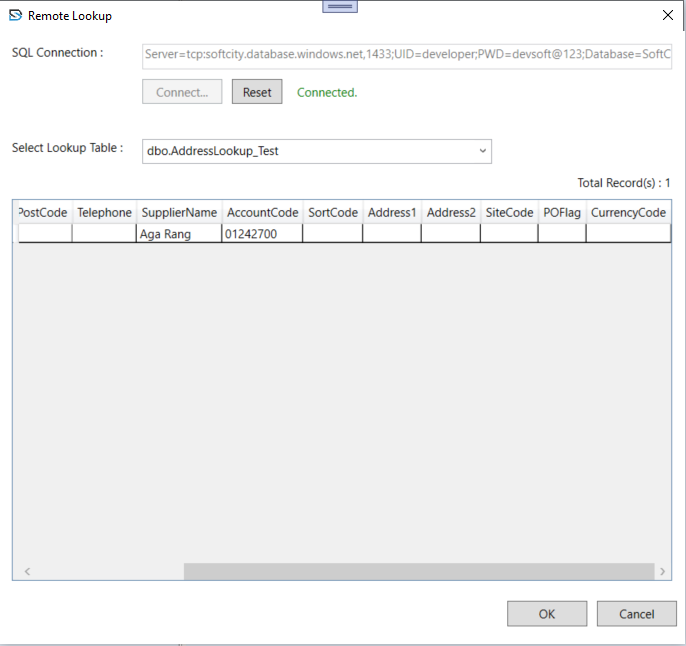
Remote Lookup Type
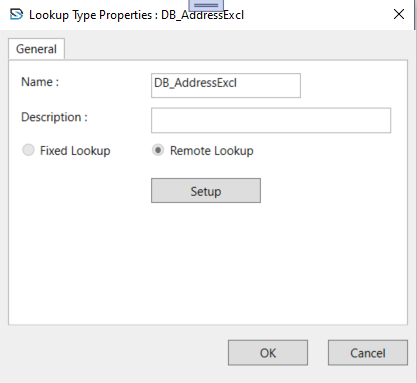
Remote lookups connect to SQL Server databases to pull live data tables for validation or population.
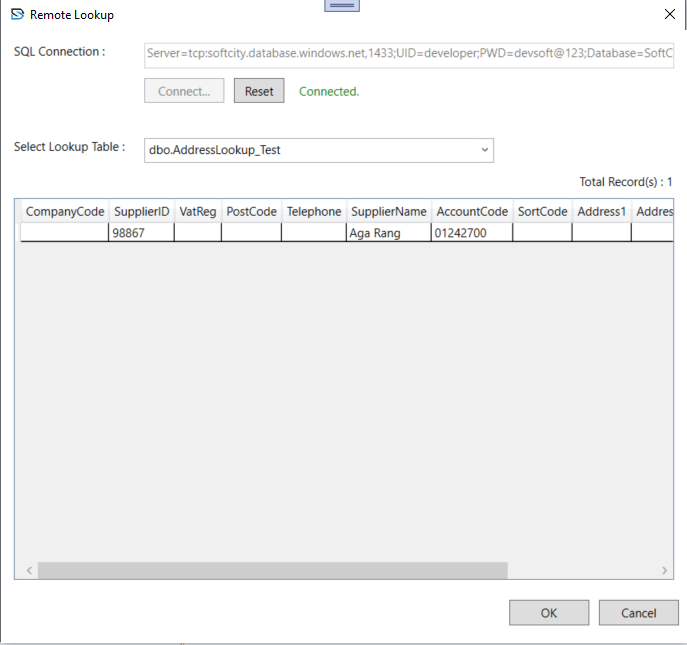
SQL Connection: Top section contains the SQL connection string, including:
- Server address:
tcp:test.database.windows.net - UID (User ID):
test123 - PWD (Password):
test@123(masked in live system) - Database:
test
✅ Status:"Connected"confirms a live connection.
- Server address:
Select Lookup Table: Dropdown listing available tables/views in the connected database.
Data Grid Preview: Shows previewed data from the SQL table. Columns include:
CompanyCode,SupplierID,VatReg,PostCode,Telephone,SupplierName,AccountCode,SortCode,Address1,Address2,SiteCode,POFlag,CurrencyCode.